advanced mode
1 Topic
List Format View – Background Color from Column
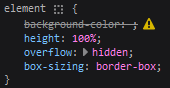
TL;DR I deleted the existing Color column and created a new Color column with the same apparent properties. The content of the new column is rendering as expected. Note: I forgot to add the new column to the views. Edit: I tried adding "txtContent" "[$Color]" and no content rendered, whereas "txtContent": "[$Title]" renders content. Can anyone explain why this Advanced mode JSON under Format view renders no value for background-color (line 6): { "$schema": "https://developer.microsoft.com/json-schemas/sp/v2/tile-formatting.schema.json", "formatter": { "elmType": "div", "style": { "background-color": "[$Color]" }, "attributes": { "class": "sp-card-container" }, "children": [ { "elmType": "div", "attributes": { "class": "sp-card-defaultClickButton" }, "customRowAction": { "action": "defaultClick" } }, { "elmType": "div", "attributes": { "class": "ms-bgColor-white sp-css-borderColor-neutralLight sp-card-borderHighlight sp-card-subContainer" }, "children": [ { "elmType": "div", "attributes": { "class": "sp-card-previewColumnContainer" }, "children": [ { "elmType": "div", "attributes": { "class": "sp-card-imageContainer" }, "children": [ { "elmType": "div", "attributes": { "class": "ms-bgColor-neutralLight sp-card-imagePreviewBackground" }, "children": [ { "elmType": "img", "attributes": { "src": "=getThumbnailImage([$Image], 400, 400)", "title": "[$Image.fileName]", "class": "sp-card-imagePreview" } } ] } ] } ] } ] } ] } } Result: while the following does (line 6): { "$schema": "https://developer.microsoft.com/json-schemas/sp/v2/tile-formatting.schema.json", "formatter": { "elmType": "div", "style": { "background-color": "#FF0000" }, "attributes": { "class": "sp-card-container" }, "children": [ { "elmType": "div", "attributes": { "class": "sp-card-defaultClickButton" }, "customRowAction": { "action": "defaultClick" } }, { "elmType": "div", "attributes": { "class": "ms-bgColor-white sp-css-borderColor-neutralLight sp-card-borderHighlight sp-card-subContainer" }, "children": [ { "elmType": "div", "attributes": { "class": "sp-card-previewColumnContainer" }, "children": [ { "elmType": "div", "attributes": { "class": "sp-card-imageContainer" }, "children": [ { "elmType": "div", "attributes": { "class": "ms-bgColor-neutralLight sp-card-imagePreviewBackground" }, "children": [ { "elmType": "img", "attributes": { "src": "=getThumbnailImage([$Image], 400, 400)", "title": "[$Image.fileName]", "class": "sp-card-imagePreview" } } ] } ] } ] } ] } ] } } Result: I found nothing under https://learn.microsoft.com/en-us/sharepoint/dev/declarative-customization/view-formatting and associated sections indicating any such restriction. SharePoint Online. New Experience. Tiles layout. Single line of text column called Color. Thank you.6KViews0likes1Comment