365
1 Topic
Task Module shows popup but Adaptive Card does not render using M365 Agent SDK (Python)
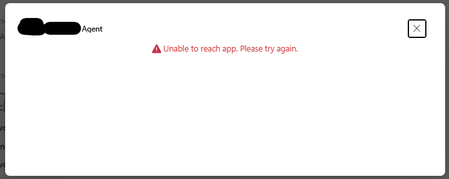
I am using the new M365 Agent SDK for Python to return a Task Module (task/fetch). The popup opens successfully when I click the button in Teams, but the Adaptive Card inside the Task Module does not render. Instead, Teams shows the generic error: “Unable to reach app. Please try again.” My invoke handler returns the following structure: adaptive_card = { "type": "AdaptiveCard", "$schema": "http://adaptivecards.io/schemas/adaptive-card.json", "version": "1.4", "body": [ {"type": "TextBlock", "text": "Sample task module card"}, {"type": "Input.Text", "id": "notes", "isMultiline": True} ], "actions": [ { "type": "Action.Submit", "title": "Submit", "data": {"action": "sample_task_submit"} } ] } task_response = { "task": { "type": "continue", "value": { "title": "Dialog", "width": "medium", "height": "medium", "card": { "contentType": "application/vnd.microsoft.card.adaptive", "content": adaptive_card } } } } return InvokeResponse(status=200, body=task_response) Key symptoms: Task module window opens (so invoke is successful) Adaptive card does not render Shows “Unable to reach app” inside popup No errors in server logs This happens only with Task Modules; normal message replies work fine Questions: Is the above Task Module response format correct for the new M365 Agent SDK for Python? Does the SDK require a different return type or content-type for invoke responses? Are Task Modules fully supported in the M365 Agent SDK preview? Is there an example of returning a Task Module using the Python SDK? Any clarification or working sample for Python would be very helpful. Screen shot -342Views0likes1Comment