Forum Discussion

Windows Server Preview Build 20344 requesting product key
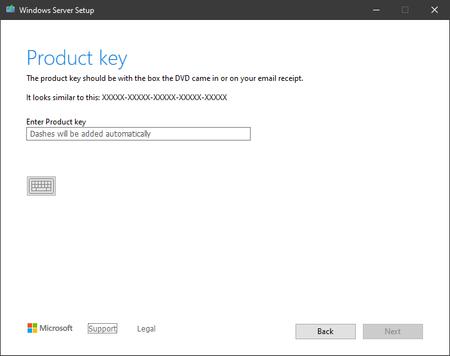
- Apr 28, 2021
This one got me for a few minutes too. After looking again, in the announcement post, it says to skip putting in a product key. I did so using the old school way of using an ei.cfg, and it worked.
To do so, extract the contents of the iso to a folder, go to the sources folder, make a new text file called ei.cfg and put this in it:
[Channel]Retail[VL]0
Then running setup shouldn't ask you about a product key.


- 007pcserviceApr 28, 2021Copper Contributor
Zeitas Thank you but the same problem. Any key that works? Otherwise I will install 2019 which I have bought it.
- ZeitasApr 29, 2021Brass ContributorAs I wrote before. Do not worry about it, be sure to use Windows Server Preview Build 20344 as usual.
- Karl-WEApr 28, 2021MVPThe keys of 2019 aren't accepted either. At the moment I fail to understand why keys aren't officially published except this build is the planned RTM.
Perhaps Mary may tell us more why the hassle for Insiders.- Mary HoffmanApr 29, 2021Former EmployeeDuring the development cycle, we provide pre-release keys with unlimited activations for testing purposes. As we get closer to the end of the development cycle, that function must be turned off. A clean install will still allow you to skip entering a product key and test without activating.
 PeteGomersallApr 28, 2021Iron Contributor
The product is still pre-release and I do not believe any key currently available will work until Microsoft releases the product and organizations can request\download and install their own keys on their internal key management servers. Until then I do not thing the product can be activated.
- ZeitasApr 29, 2021Brass Contributor
PeteGomersall That it says I must connect to my organization server. Is not something you need to worry about right now. Everything works as usual
- Mary HoffmanApr 28, 2021Former EmployeeWhat build did you start with to perform your inplace upgrade to 20344?


