Forum Discussion

Disable Windows automatic redeployment at logon screen
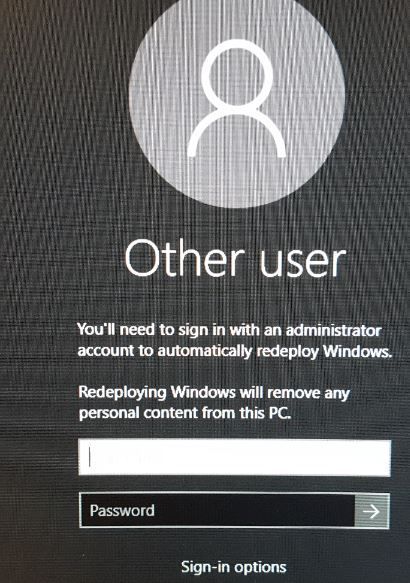

Thanks Michael. I pasted the first part of you message that worked for me. The one comment I would make is that I don’t think the key existed until I loaded the Imprivata software. Then, when it asked to reboot I did the registry edit. I am perplexed why there isn’t more complaints on the web about this issue.
Thanks again.
----------------------------------------------
ONE-SIGN AGENT ENABLES WINDOWS REDEPLOYMENT FEATURE ON ENDPOINTS THAT HAVE WINDOWS 10 1709 INSTALLED: (DEFECT #SER-4807)
1.) Run Regedit on the Windows 10 Endpoint.
2.) Navigate to [HKLM]\SOFTWARE\Microsoft\Windows\CurrentVersion\Authentication\Credential Providers
3.) Rename “Wrapper for Automatic Redeployment Credential Provider” with the following GUID
{11660363-49E2-4F87-AB2E-FD210019AE88} by adding an "_" at the front so the string should look like this:
_{11660363-49E2-4F87-AB2E-FD210019AE88}
This will prevent the issue from happening. Now you can reboot the Windows 10 machine and the redeployment option will not come back

I just wanted to add a note that according to Imprivata's knowledgebase this issue has been corrected in Imprivata OneSign 5.5 SP1. So you can either upgrade to that version or apply the registry key workaround. If you have access to Imprivata's knowledgebase the relevant article is https://impr.force.com/NewCommunityArticleView?url=kAA410000008ONMGA2