Forum Discussion

imanojpatel
Jun 04, 2021Copper Contributor
Windows update is always failing with error code 0x80070643 and Defender stopped working after this
I received a suggestion to download - "Update for Microsoft Defender Antivirus antimalware platform - KB4052623 (Version 4.18.2105.3)" and I updated it through Windows Update platform. But it re...

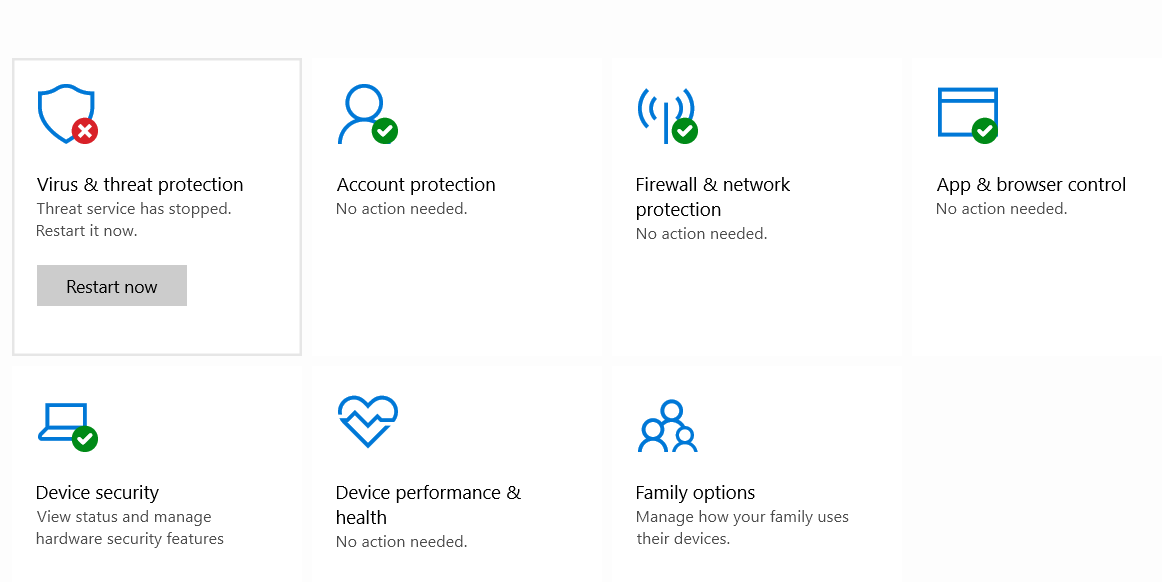


Deleted
Oct 16, 2021Hi
https://www.minitool.com/data-recovery/fix-windows-update-error-0x80070643.html
https://www.minitool.com/data-recovery/fix-windows-update-error-0x80070643.html

Jainam_Chheda03
Mar 07, 2022Copper Contributor
I've tried all the 15 steps. But none of them worked out 😞 ! 😅
- DeletedMar 07, 2022
If you are in the insider program, please analyze the execution of a clean installation of Windows - but everything will be removed please make copies of your personal files:
https://docs.microsoft.com/en-us/windows-insider/ISOs#clean-installation-with-a-windows-insider-preview-iso
https://docs.microsoft.com/en-us/windows-insider/ISOs#clean-installation-with-a-windows-insider-preview-iso
Sometimes an in-place upgrade helps, but it doesn't always work.
- Jainam_Chheda03Mar 07, 2022Copper Contributor
Hi Deleted
Nope I am not in Windows Insider Program.
- DeletedMar 08, 2022
Re: Issue with Windows Defender on Windows 11 - Microsoft Tech Community
Please maybe there will be a solution here.