Forum Discussion

denversmith8
Mar 09, 2019Copper Contributor
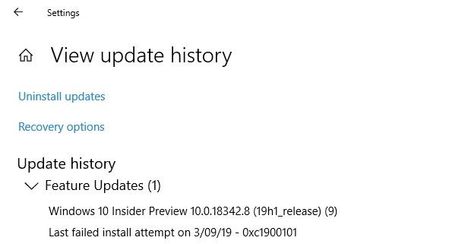
Windows 10.0.18342.8 (19H1 release) NOT INSTALLING
Microsoft Surface Book (original) 512GB HD with external GPU. Windows Insider Slow Ring. I have seen a number of the other posts from the Insider Blog as well as in the forums that mention a fail...

AvinashAus
Mar 16, 2019Copper Contributor
As the screen shot shows it is windows update. You can't do anything until it finishes of its work. Things to be kept in mind is the windows update from setting page will not show accurate progress rate due to a number of reasons and don't turn off the pc until it says reboot is required to finish off(failed to do so may cause some issues which are regarding SSD space utilisation). You can turn off but next time it starts to download the entire file again or partial of the files. With my experience it takes around 3hrs for the updates of huge files to get it ready for installation. So better be patient and leave it with altering power settings to never sleep. All will be good at the EOD.
AvinashAus
Mar 16, 2019Copper Contributor
If you ask I suggest better not to do any stuff with updates when the offical release is around the corner. As per sources the 2019's (aka 19H1) first update will be released to public by April 6th. So better don't mess your surface book mate at this point of time for safe working. If the update is finished well and good if not be cool and wait for official release and install via MC tool which makes zero time lags and fast boot processing.