Forum Discussion

Bluescreen/Greenscreen DRIVERS_IRQL_OT_LESS_OR_EQUAL
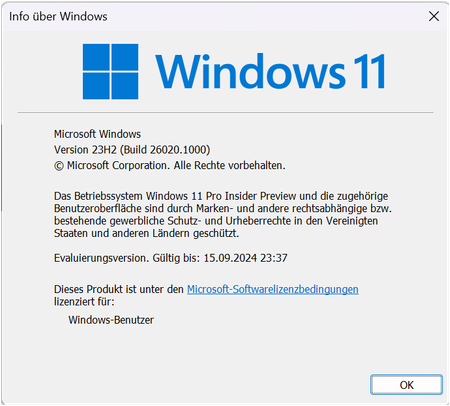

Reza_Ameri Unfortunately I cannot install a clean boot version, only an upgrade version, otherwise I would lose all my data

Hi, clarification - it's not about a fresh install of Windows, just a limited boot and loading the basic drivers and then trying to update, but if you've never done it then I don't recommend it because it's sometimes difficult to go back to the default settings.
https://support.microsoft.com/en-us/topic/how-to-perform-a-clean-boot-in-windows-da2f9573-6eec-00ad-2f8a-a97a1807f3dd#ID0EBBD=Windows_11
I found an interesting tip - the suggestion is to downgrade the driver, what do you think?
Stop error message:
Stop error message: "DRIVER_IRQL_NOT_LESS_OR_EQUAL" or "USER_MODE_HEALTH_MONITOR"
https://learn.microsoft.com/en-us/troubleshoot/windows-server/performance/stop-error-driver-irql-not-less-or-equal#resolution
- HauckieMar 24, 2024Copper Contributor
Deleted then I will have to continue to wait for another solution
- AnonymousMar 24, 2024
Unfortunately, installing a lower version of Windows is only possible in this way.
- HauckieMar 24, 2024Copper Contributor
Thanks but I can't reinstall because otherwise all my data, pictures etc. will be deleted. The damage would be far too great
- AnonymousMar 24, 2024
https://www.microsoft.com/en-us/windowsinsider/cleaninstall
These are the official instructions
- AnonymousMar 24, 2024
I received a question in a private message, but I'll answer here to make it helpful maybe for others.
https://blogs.windows.com/windows-insider/2024/03/21/releasing-windows-11-builds-22621-3371-and-22631-3371-to-the-release-preview-channel/
To install this version you need to do a clean install of the stable version of Windows - are you ready for that?
- HauckieMar 17, 2024Copper Contributor
Deleted I have tried to install the update but the system freezes during the installation after the restart.
As before, the Clean Windows System did not help.