User Profile

Plan3tBob
Copper Contributor
Joined Dec 09, 2020


User Widgets
Recent Discussions
Re: Launch it Now link in browser does not work.
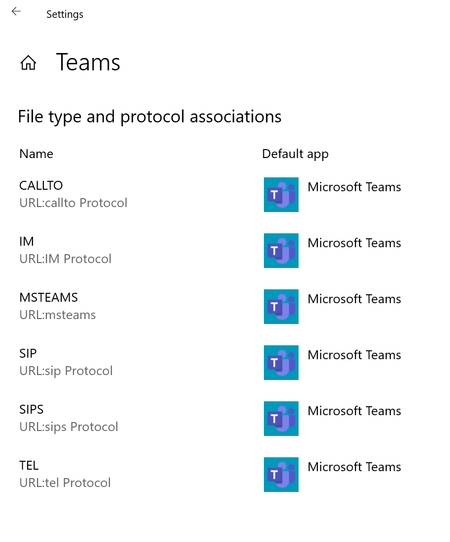
silver_diamond Solution (that worked for me): I've had this issue for months... tried reinstalling and all sorts however reading some of the responses below lead me to my solution. As below: Go to: [Settings] > [Apps] > [Default Apps] Note: At this point I couldn't set the 'apps by protocol' because 'Teams' wasn't showing as an option to choose against each protocol. Instead: Next: I chose 'Set Defaults By App' and scrolled down to 'Teams'. Clicking on 'Teams' gave me all the options that I could default 'Teams' for and I clicked them all. Now when I click on a Teams link in an email/web it works! Good luck and I hope this helps someone else too.52KViews3likes2Comments
Recent Blog Articles
No content to show