User Profile

KasperThomsen
Copper Contributor
Joined Oct 20, 2023


User Widgets
Recent Discussions
Re: Absolute referencing when adding columns.
HansVogelaar I'm trying to omit some maybe sensitive data, but I get what you are saying. I'm off work now, so I don't have access to the sheet, so let's say that in X2 i want to make a formula that takes the averages of cell K2-N2. Then next month I add a column after N, which pushes everything to the right of it 1 column right. So now the cell that I have the average in is Y2, but the values it calculates from are still K2-N2. I want it to follow, and use the latest 4 months of data, so now it's L2-O2. Please let me know if you need more information. (I'm not that experienced in Excel, so there is a lot of terms I might get wrong.1.4KViews0likes2CommentsAbsolute referencing when adding columns.
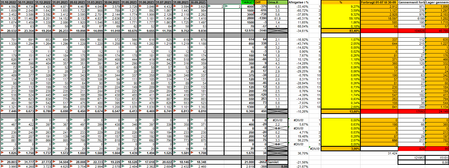
Hello experts, I have been looking for an answer to this question for a couple of days now, without any luck. I hope you are able to help me. I'm looking for at way to keep cell references when adding columns. This particular sheet is a monthly finance sheet, where 32 rows are filled out in a new column every month (see picture) With this data we take the average of the last 4 months, for some KPI's. Right now we add the column, add the data, and change all the formulas to represent the last 4 months. Is there any way to do this automatically/less manual? I thought about doing it top down, and using INDIRECT to take the top 4 values, but because of the amount of rows, that now turn to columns, this is very impractical. If anybody knows some trick to do this, or have an idea on how to get around this issue, I would love to hear it. Thank you in advance, KasperSolved1.6KViews0likes6Comments
Recent Blog Articles
No content to show