User Profile

jmccracken112112
Copper Contributor
Joined Apr 30, 2023


User Widgets
Recent Discussions
Re: Machine-Wide Teams - White screen and crashing often
This is the post I made, about my experience with much more details - if there's any similarities, might be good to follow: https://learn.microsoft.com/en-us/answers/questions/1274356/teams-white-screen-and-crashing-on-win11-avd-multi?page=1&orderby=Helpful&comment=answer-1244359#newest-answer-comment8.6KViews0likes0CommentsRe: Machine-Wide Teams - White screen and crashing often
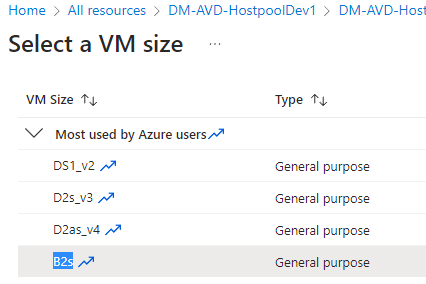
PaulStirling I wish you the best of luck with the architecture change. I also saw a forum post about problems with v5 hosts and the solution is to use v4, but that is about a year old now. I'm use Standard B2s VM size, which shows as a v2 gen architecture, so I'm puzzled as to what's happening. Just curious, what is your authentication method for the FSLogix profiles? We're cloud-only, so in order to use FSLogix profiles, I needed to spin up an Azure AD DS resource so Azure-AD objects sync back to the Azure AD DS domain in order to properly authenticate to the Azure file share (What a mess this is), but yeah just curious if you're using an on-premise DC with ADConnect or doing what I'm doing. Maybe something here can help us connect the dots.8.6KViews0likes6CommentsRe: Machine-Wide Teams - White screen and crashing often
I'm having the same issue, only it's Windows 11 Enterprise Multisession. I'm using FSLogix 2.9.8440.42104 with Teams 64-bit machine-wide install version 1.6.0.6754. (I also used an earlier version of FSLogix and Teams prior, same issue). I also disable GPU acceleration and excluded Teams cache using the redirections.xml, following the guide here: https://techcommunity.microsoft.com/t5/azure-virtual-desktop/wvd-fslogix-reduce-profile-container-size-exclude-teams-cache/m-p/1503683 (The GPU and Teams cache exclusions did not help). The weird thing I've noticed is if I log into a Win11 AVD host, Teams will launch fine. As soon as I login to that same host as the 2nd test user and Teams opens, it will display the teams app info normally for about 5 seconds, then white screen. If I quit and re-open Teams, that does not fix it either. If I do the reverse and login with my test user 1st, Teams opens just fine and as soon as I login with the 2nd user is when Teams white screens. Luckily I'm just testing and we have no users in this environment. I feel your pain though, I probably spent 10+ hours troubleshooting this, spinning up new VMs, re-installing Teams, FSLogix, Recreating FSLogix user profiles, no dice.8.7KViews1like9CommentsRe: Teams not working in Windows 11 AVD + FSLogix
tamaneri Thanks. Will give Win10 AVD a go. Any suggestion on which Win10 image to choose? IE. Have you found any differences between say Win 10 Enterprise Multisession 22H2 vs. 22H2 Gen2? I've heard staying away from the "+ Microsoft 365 Apps" since those images tend to causes issues b/c the custom registry settings, not specifically built for non-persistent AVD with FSLogix - it's best to follow the FSLogix 365 apps/OneDrive/Teams install guides.3.7KViews0likes1CommentRe: Teams not working in Windows 11 AVD + FSLogix
hgf12345 Hey! Last update in thread is quite old. Is the fix still to use a v4 image? I'm also experiencing this issue of Teams whitescreen/crashing using the latest fslogix and Teams machine-wide versions, but just using the small B2s VM size for testing; does not specify what version it's running on. Just hoping someone can confirm. Thanks, Josh8.8KViews0likes16Comments
Recent Blog Articles
No content to show