User Profile

vaiium
Brass Contributor
Joined Jan 11, 2023


User Widgets
Recent Discussions
Re: "Show all icons in system tray" option in windows11
Ah, alright. So in there there's also not an option to just "show all, always". I think its super weird and annoyingh they removed this option and replaced it with "you gotta click all of m, and click m again if a program had an update" Its honestly beyond me :') I agree with that it should be easy, and would take it further. It should not be anything more than a check mark or switch. Same with the right click menu and the start menu. I still hopefully have about 40 to 50 years of computer use to go. And if this is where were going to, I will have to learn how to make an operating system, or how to keep windows 10 relevant for that duration. If its less than 40 years its because will have died on this hill.11KViews0likes0CommentsRe: "Show all icons in system tray" option in windows11
Happy to see the rest of my post isn't too off putting for a serious question :') My first advice would be ditch windows 11. Every downgrade is a vote! You should be able to downgrade on your current windows 11 key. ( https://www.youtube.com/watch?v=r63pangkWJU ) If you don't want to or that's not an option for you. This should do the trick: 1-Right-click the Start button and choose Windows Terminal. 2-Copy the command from below, paste it into Windows Terminal Window, and press enter. reg.exe add "HKCU\Software\Classes\CLSID\{86ca1aa0-34aa-4e8b-a509-50c905bae2a2}\InprocServer32" /f /ve 3-(????) Restart File Explorer or your computer for the changes to take effect. 4-(profit) You would see the Legacy Right Click Context menu by default. I've straight up copied that information from this link: https://answers.microsoft.com/en-us/windows/forum/all/restore-old-right-click-context-menu-in-windows-11/a62e797c-eaf3-411b-aeec-e460e6e5a82a Edit: Do please take note, this worked about a year ago. Maybe it does not anymore. Hope this helps!10KViews0likes0CommentsRe: "Show all icons in system tray" option in windows11
See, you say this. So they either changed it recently. In which case. Still F em. This should never have been removed. The start menu in windows 11 is still garbage. And its still one big unorganized S-show as. Windows 11 is an homage to terribleness. The right click menu can only be turned normal through the registry. And i could go on. But I'm tired. Completely done with windows 11. And convinced you are lying about the option you are describing. Because this thread wouldn't exist if that option would have been there. Also, rereading your comment. "a new approach that allows you to individually choose which icons to show in the system tray" THIS WAS ALWAYS THERE. ITS NOT NEW, THEY CANT REBRAND AN OLD OPTION AS "A NEW APPROACH". YOU WHERE ALWAYS ABLE TO SELECT INDIVIDUALLY. YOUR POST IS BAD AND YOU SHOULD FEEL BAD. THIS IS NOT NEW YOU GARBAGE HUMAN BEING.13KViews3likes4CommentsRe: "Show all icons in system tray" option in windows11
I'm not sure what you mean with the click and move. But it sounds like you would need to manually do it every time a new program is installed or one updates. Thb, windows 11 has this winME/vista/8.1 vibe. Were microsoft just fornicates around with useless stuff a lot of people dont want.41KViews0likes0CommentsWhy?
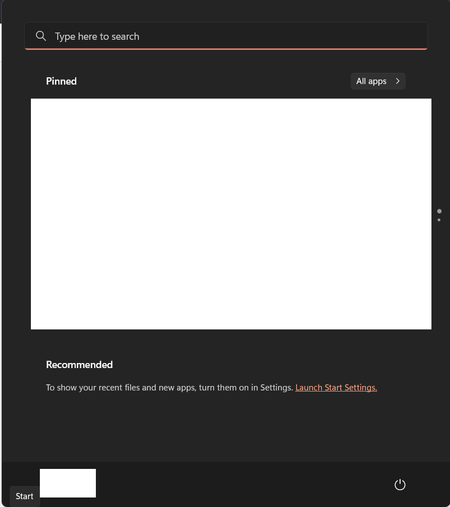
Why did you get rid of the tiles? Why are you actively disrupting insight, workflow and organization? And why, if I say I don't want recent files and programs in my start menu do you still have that space underneath suggesting? Why cant I use that space for something useful? Same with the taskbar icons on the right side of the screen. I want to always show all of them. Why did you remove that option? (Yes I'm aware i can still edit that per program. That's not my point, that's effort every time a new program comes in rotation or a program updates.)581Views0likes0Comments
Recent Blog Articles
No content to show