Forum Discussion

SharePoint Online Usage Statistics with JavaScript Injection Add-in

Instead of using that Add-in model, I would look at using this open source solution, which is based on the PnP responsive UI project and works on the new modern doc libraries also.
https://github.com/eoverfield/SP-Custom-Script-Action
It will inject your Javascript using the User Custom Action method. Just modify the 2 XML PnP Provisioning template files to reference your .js file. The PS script will upload the .js file to the location you specify in template file and then inject it into every page in the site collection.
So you will have to run this PS against each site collection
Thanks
 Curious DeveloperOct 31, 2018Copper Contributor
Does this usage analytics inject javascript to only web pages ? Would this work for usage analytics of documents being looked in office online/browser ?
- Steve BorgwardtOct 31, 2018Brass Contributor
The links I provided are generic for injecting any javascript or css into web pages. It doesn't provide any injection or tracking of documents (online/offline). You will need to check with the analytics vendor on how to tracking documents - probably modifying the links on the pages to include a tracking code, but that is beyond the scope of this thread.
- Daniel WesterdaleMay 05, 2017Iron Contributor
Steve
I can finally report some success. To make this easier I created two functions, one based on John's example and one I put together by looking at the link you gave and seeing if there is another way to write it. my second function works and gives no errors in the console. The PS works like a charm and simply replaces my customSciptAction when I call my set up function.
function debugit2() {

    console.log("Debugit2 Started....");
    var ctx = SP.ClientContext.get_current();
    var web = ctx.get_web();
    functionToCall().done(function (returnedValue) {

        // do something with the returned value
        console.log(web.get_title());
    });

    function functionToCall() {

        var dfd = $.Deferred(function () {


            ctx.load(web);

            ctx.executeQueryAsync(function () {

                dfd.resolve(web);

            },

                function (sender, args) {

                    //throw an error
                    var failmessage = args[1].get_message();
                    console.log(" oh no not again " + failmessage);
                });

        });

        return dfd.promise( /* do I chain here to say get my user or site or list objects */     );

    }

}
The only thing I need to do now is chain my promises to get the jsom objects: user, list, site etc, rename my function calls and then re-add my google delegate code. I think I hit the pain barrier on this ;-(
- Daniel WesterdaleMay 09, 2017Iron Contributor
Just a quickup update ,
I have now tried a few methods for injecting my analytics script into my site or web. Looks like a script link is better than a script block . Also I am getting mixed results with a heavily branded site. Thanks for your previous actions as I did use it to inect a simpel script block into my iste
Got really stuck on John Liu's http://johnliu.net/blog/2015/12/convert-sharepoint-jsoms-executequeryasync-to-promise-in-the-prototype ... I seem never to get passed the error 'Protoype not defined' . Spoke to Hugh from Rencore about his custom SOD loader for sp.js and runtime.js but his answer gave me a headache trying to understand it lol.... Level 400 JavaScript springs to mind!
Annyway John kindly pointed at this one page add your script .....
http://johnliu.net/blog/2015/12/the-safest-future-proof-way-to-brand-your-sharepoint-and-sharepoint-online
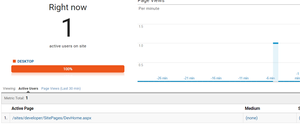
Ok before I am ready to inject my final script I do need to remove the first script action with the client id shown ( see attachment) . It is part of the PnP CoreJavaScriptInjection which despite sucessfully deploying via VS2017 and removing via the UI , I can't find a way of remove this Action link.
- Steve BorgwardtMay 09, 2017Brass Contributor
Hi, Daniel
Glad to hear you are getting closer with your solution. In regards to that first client script action (PnP), I believe you still need that. But you may want to clean everything up first (remove all script actions) and then uses the PnP injection script method.
Thanks
- Daniel WesterdaleMay 03, 2017Iron Contributor
Hi
Thanks for replying. I have now cloned and modfied the sample Custom-Script-Action.js as mentionded in your reply to include the main parts of my Scenario1.js ... I am not 100% this correct as in do I need to wait for sp.js ( and runtime.js) to be loaded.
// embedding of jQuery, and initialization of responsiveness when ready
// changed to use a CDN
loadScript("https://ajax.aspnetcdn.com/ajax/jQuery/jquery-2.0.2.min.js", function () {
    console.log("jQuery loaded and ready for custom JS");

    // Inject my function after SP.JS has been loaded
    // TODO need to check/Refactor to ensure if SP.Runtime.js is also loaded before executing the function below
    SP.SOD.executeOrDelayUntilScriptLoaded(SharePointGoogleAnalyticsV2, 'sp.js');


});
I will test out shortly as I am meant to also be writing a training course ;-(
- Steve BorgwardtMay 03, 2017Brass Contributor
you don't necessarily need that load script for jQuery - that was just a sample they put in.
I assume your function
(SharePointGoogleAnalyticsV2)
is in the custom.js file that is being deployed by the PS script?
That should work then
- Daniel WesterdaleMay 03, 2017Iron Contributor
Steve
I have kept the JQuery load in for the time being and as you you say I have a custom JS which is loaded by the script Action. I am getting much further thanks to your help.
I can now see some of my random log statements (!) and it looks like some of the csom code that
updates the google dimensions is working such as "User" and "List". I will need to debug this to see why the "Web" isn't being loaded . "Worse case" I could use SPJSCore library but I think this overkill given my modest requirements .

