Forum Discussion

POWER AUTOMATE FLOW - CONVERT MS FORM TO PDF & SEND VIA EMAIL

Hi JDeeb
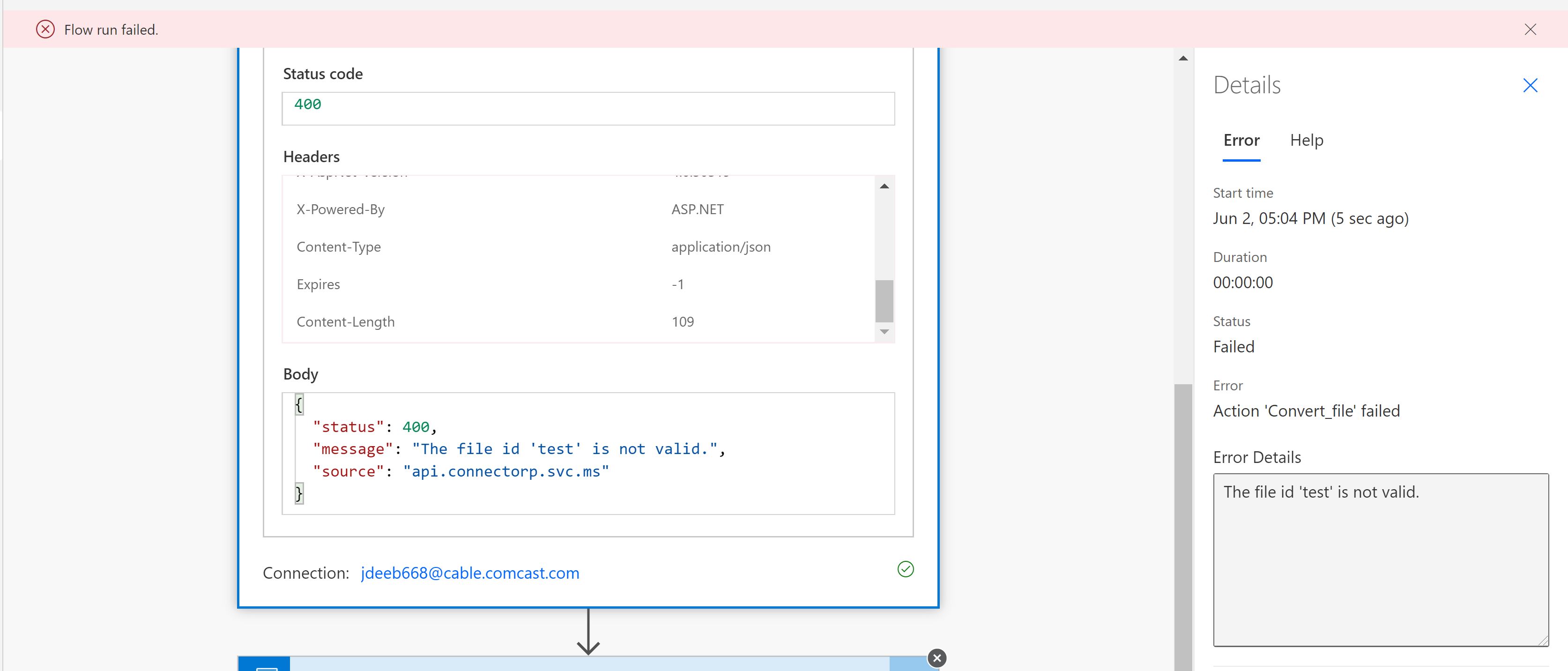
It's probably failing as the OneDrive Convert file option is expecting a file to convert to PDF, of which Microsoft Forms does not produce.
If you have programmed something in your flow to convert the Form to a docx file, can you please screen shot it and show more of the flow (redact any sensitive info such as URLs)?
If you wanted to streamline your process as having the details in an email rather than a file, you could have a 3 step flow with the trigger to:
1. [Trigger] Catch the new form submission (When a new response is submitted)
2. Get response details
3. Send an email (V2) - where you add in the name for each dynamic attribute so that people know what each of the responses are called in the email.
Happy to discuss further if you want to show your flow?
Cheers
Damien

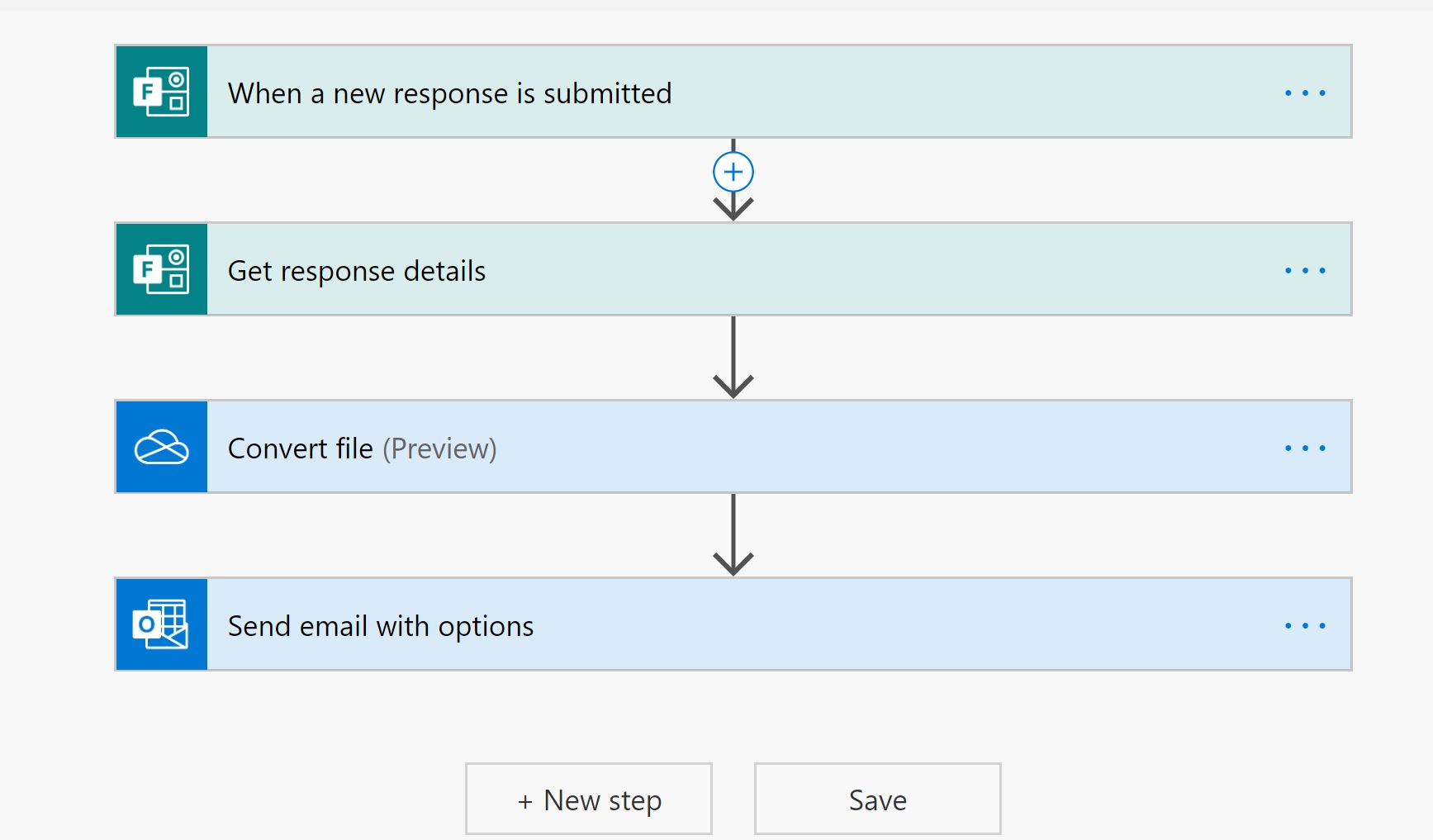
Thank you for that suggestions Damien_Rosario . I actually went with your 3 step route just creating the email like that vs trying to convert to a pdf. Our team regularly converts these forms into pdf, so I was just trying to eliminate a step. But, for now this will work. See the attached screen shot of what I tried to do. But, I can't seem to get the convert to work.
- Damien_RosarioJun 04, 2020Silver Contributor
Hi JDeeb
Yes without a file for the convert process to change to PDF, the flow will fail.
I haven't had a chance to test out a solution I have in mind, but you can have a play first and see if it does the trick.
1. After Get response details, add something like a Compose action and then set up your form headings and add the dynamic content.
2. Add the OneDrive for Business connector action Create file, and create your file from the Compose output.
3. From there you could use a connector like Encodian or Clavin Fernandes's suggestion like Muhimbi which have free accounts to use for converting files to PDFs.
4. Add the OneDrive for Business connector action Create file, and create your file from the PDF converter output.
5. Send an email and attach the file. See below as my browser crashed and I had to rewrite this.
Set Attachments Name to the name of the file you want (should be the same as step 4 if you have used step 4).
Set Attachments Content to the output from your PDF converter.
This should allow you to email a PDF to staff. Feel free to substitute the compose box option for something with a bit more formatting options if you want. I went with the easiest one I use when I just want to get stuff moving.
I also removed the OneDrive convert action as it does't work with what I have proposed above.
Hope that helps!
Cheers
Damien