Outlook Mac for All
Published Mar 06 2023 09:00 AM 135K Views
Microsoft

Today we have an exciting announcement to share about the evolution of Microsoft Outlook for macOS. Don’t have Outlook on your Mac yet? Get the native Outlook for Mac app in the App Store or via direct download.


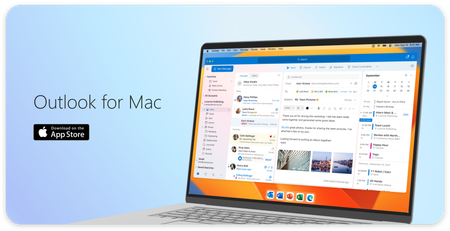
An image demonstrating the user interface of Outlook for Mac.An image demonstrating the user interface of Outlook for Mac.

Outlook for Mac is now free to use


Now consumers can use Outlook for free on macOS, no Microsoft 365 subscription or license necessary.


Whether at home, work or school, Mac users everywhere can easily add Outlook.com, Gmail, iCloud, Yahoo! or IMAP accounts in Outlook and experience the best mail and calendar app on macOS. The Outlook for Mac app complements Outlook for iOS – giving people a consistent, reliable, and powerful experience that brings the best-in-class experience of Outlook into the Apple ecosystem that so many love.


Outlook makes it easy to manage your day, triage your email, read newsletters, accept invitations to coffee, and much more.


Bring your favorite email accounts


One of Outlook’s strengths is helping you manage multiple accounts in a single app. We support most personal email providers and provide powerful features, such as viewing all your inboxes at once and an all-mailbox search to make managing multiple email accounts a breeze.


An image demonstrating examples of personal email providers supported in Outlook.An image demonstrating examples of personal email providers supported in Outlook.When you log into Outlook with a personal email account, you get enterprise-grade security, with secure sign-on to authenticate and protect your identity—all while keeping your email, calendar, contacts, and files protected.


Outlook is built natively for Mac


With Outlook, you’ll get a modern and native app designed and optimized for macOS. And these enhancements go far beyond surface level. The new Outlook is optimized for Apple Silicon, with snappy performance and faster sync speeds than previous versions.


Outlook for Mac does more to integrate into the Apple platform so that you get the most from your macOS device. To help you stay on top of your email and calendar while using other apps, you can view your agenda using a widget and see reminders in the Notification Center. We are also creating a peek of upcoming calendar events in the Menu Bar (coming soon).


An image demonstrating previews of the Menu Bar (left), a Notification Center reminder (top right), and a Widget (bottom right) in Outlook for Mac.An image demonstrating previews of the Menu Bar (left), a Notification Center reminder (top right), and a Widget (bottom right) in Outlook for Mac.

We know life is multifaceted and Outlook is leveraging the Apple platform to support you by making it easier to switch contexts. With our new Handoff feature, you can pick up tasks where you left off between iOS and Mac devices, so you can get up and go without missing a beat*.


An image demonstrating the Handoff feature in Outlook for Mac on a desktop and mobile device.An image demonstrating the Handoff feature in Outlook for Mac on a desktop and mobile device.

We understand it’s more important than ever to protect your time. The new Outlook Profiles (coming soon) allow you to connect your email accounts to Apple’s Focus experience. With Outlook Profiles, you won’t get unwanted notifications at the wrong time so you can stay focused on that important work email, with no distractions from your personal email.


An image demonstrating the Outlook Profiles feature in Outlook for Mac.An image demonstrating the Outlook Profiles feature in Outlook for Mac.

Your hub to help you focus


Outlook provides a variety of ways to help you stay focused and accomplish more by helping you decide what you want to see and when. For people with multiple accounts, the all-accounts view lets you manage all your inboxes at once, without having to switch back and forth. It’s a great way to see all new messages that come in so you can choose how to respond.


Outlook also has more options for keeping important emails front and center**. The Focused Inbox automatically sorts important from non-important messages so you can easily find them with a toggle above the message list and add frequently used folders to Favorites to find them easily. Outlook also gives you power to prioritize messages your way. You can pin messages in your inbox to keep them at the top or snooze non-urgent messages until you have time to reply. Categories and flagging are available as well. With so many options for organizing email, you can make Outlook work for you.


An image providing a preview of the Focused Inbox and Swipe Gestures features in Outlook for Mac.An image providing a preview of the Focused Inbox and Swipe Gestures features in Outlook for Mac.

With Outlook, you can stay on top of your daily schedule from anywhere in the Mac app. Open My Day in the task pane to view an integrated, interactive calendar right from your inbox. Not only can you see upcoming events at a glance, but you can view event details, RSVP, join virtual meetings, and create new events from this powerful view of your calendar.


What’s next


We are thrilled to invite all Mac users to try our redesigned Outlook app with the latest and greatest features for macOS. Download Outlook for free in the App Store.


There is more to do and many more features we are excited to bring to the Outlook Mac experience. We are rebuilding Outlook for Mac from the ground up to be faster, more reliable, and to be an Outlook for everyone.


Michael Palermiti, Partner Product Group Manager for Outlook has issued this clarification: The new Outlook for Mac is a native macOS app. Microsoft plans to continue building and maintaining best-in-class native apps on macOS and iOS. No Progressive Web Apps (PWAs) are planned for Mac Outlook.


*The Handoff feature requires downloading Outlook for Mac from the App Store and login to your iOS device and macOS using the same AppleID.


**Categories only available with Outlook.com, MSN.com, Live.com, and Hotmail.com accounts. Focused Inbox, Snooze, and Pinning are not available with accounts that don't sync using Microsoft Sync Technology. Click here for more information.


*** Users who upgrade from point-in-time license, such as Outlook 2016, will see ads in the new Outlook. Add a Microsoft 365 subscription to remove ads. We are investigating a bug for users switching from Outlook 2016 to the new Outlook in the App Store.

63 Comments
Copper Contributor

What about the Windows version?

Bronze Contributor

@ahnafm The Windows version (i.e. the upcoming Windows version now in the midst of a long-term preview) is just the web site bundled into an app, in essence, so it has to be free, too.

Microsoft
Copper Contributor

I mean the full featured desktop version, not the PWA. And you're saying Mac users get a native version for free while Windows users will have to deal with a PWA?

Copper Contributor

This is great and all, but what about those of us who have purchased 365 for Mac. This definitely takes away some of the value. Will its price be reducing also?

Copper Contributor

Just downloaded from Mac App but it require license activation for Microsoft 365, am I doing anything wrong here ?

Copper Contributor

Is this version of https://w2.outlook.com/getmac
comparable with the version in the Appstore?

Unfortunately I can't find any information about it.

Microsoft

@mmmmarkn Thanks for your comment. The new Outlook for Mac is free to use, and ad-supported when using a non-licensed account.

Microsoft

@Leonidas42 Yes, the version you can download on the getmac site is similar to the version you get when you download from the App Store. Hope that helps!

Microsoft

Just to be clear, the new Outlook for Mac is a native macOS app. Microsoft plans to continue building and maintaining best-in-class native apps on macOS and iOS. There is no plan to build a web app version of Outlook for Mac.

Copper Contributor

It still asks to activate with O365. What am I doing wrong?

Copper Contributor

Same as @storkpkp, the App Store version is demanding a 365 trial or subscription. The version in the store hasn't been updated since Feb. 14, so maybe the free version hasn't rolled out yet. 

Microsoft

If you have trouble logging in, please try again and then go to Help>Feedback>Report a Problem. 


Enter the problem you are seeing, for example: "Cannot log into Outlook for Mac with a non-Microsoft 365 account"


Please enable Send diagnostic data. I can update here if we find a broader issue.  

jerper_0-1678151648890.png


cc: @leveau1 @storkpkp @simonykma 

Copper Contributor

@jerper Working now! Thank you!

Copper Contributor

I am still encountering the issue asking for an M365 account and when accessing help I cannot do anything as this asks for me to upgrade to M365. The new outlook button is off and when trying to toggle on I get outlook is in offline mode, due to previous noted issue. I have cleared the license and Identities under clear application data.

Copper Contributor

I updated the Outlook to the new "Free" version which the article "Outlook for All" talks about but now it will not connect online to let me get my email, sync calendars, or anything unless I active a Microsoft 365 Account.

Could you please either:
1) fix this issue to allow me to use this version without a microsoft365 account

or

2) tell me how to downgrade to my older version of Outlook so I can continue with my work.

Right now I cannot send or receive emails for work.

Copper Contributor

@leveau1 What was the issue?

Copper Contributor

Any ETA on Exchange support? As soon as I add my Exchange account Outlook prompts for switching to Legacy mode...

How do I access EXO Modern Public Folders with the new (aka modern) Outlook versions?

Copper Contributor

Can’t find where to post a stupid question:


I’m getting replies to this thread in my main MS account. I want to change it to one of my aliases. The change screen is greyed out. Why?

Copper Contributor

Well, but actually outlook for mac was already available for free. So, what's this news about then?

Copper Contributor

Does it still put all the mail in one big database file? I’ve had that get corrupt in the past and that concerns me. 

Copper Contributor

Excellent news, it would be super helpful if Microsoft added iCloud custom domain support to both Mac and IOS Outlook clients. 

Copper Contributor

@jerper I had previously installed it and it was still in legacy mode. Once I switched to the new mode it let me use it. 

Copper Contributor

Same issue, just downloaded but requires subscription.  I deleted the old installation including all associated file, then downloaded the new version, but it still requires a subscription.  @jerper how did you switch from legacy to new mode?

Copper Contributor

 I'm trying to open an old PST file from Windows and can't figure it out. Anyone know if this is available with this free version?

Copper Contributor

Use “import”.

Copper Contributor

Solution: Delete the Apple Store version (will lose some Airdrop features) and install from Microsoft.  Now works.  Perhaps the Apple Store version will be upgraded soon.

Copper Contributor

Import is greyed out.


Do you have a link where I could download Outlook for Mac from Microsoft? I thought it was only available form the Apple App Store.

Copper Contributor

I did find it on Microsoft's site, but after looking for awhile couldn't find it again.  It's there, just will take searching.

Copper Contributor

and when you guys gonna fix notifications?, talking about macOS notifications, adding Snooze and Reminder options and such?

Brass Contributor
 Any ETA on Exchange support? As soon as I add my Exchange account Outlook prompts for switching to Legacy mode...
 
This new app looks like a Consumer Email App for Apple iCloud, Gmail, Outlook.com.
 
The Outlook Desktop App is still being included with Microsoft 365. I'm not expecting Exchange support to be added as it would hinder their MS365 platform.
Brass Contributor

 I'm trying to open an old PST file from Windows and can't figure it out. Anyone know if this is available with this free version?


PSTs are legacy. You'll need the Outlook Desktop app included with Microsoft Office/Microsoft 365 for that.


Definitely can't see PST support being added to this consumer focused app.

Copper Contributor

Have you fixed all the bugs with folders in the existing paid version or is this the same codebase?

Ever since you rolled out the "new" UI, I can't create new folders or rename existing folders.

Makes it virtually useless to use for anyone that uses folders to manage email, as I do with macOS Mail that I switched over from.

Are you ever going to fix it?    It's been over 6 months and counting...


Lots of other users have the same problem, so I know it is not just me or what I am doing!

https://answers.microsoft.com/en-us/outlook_com/forum/all/outlook-desktop-app-and-folder-naming-reve...

Copper Contributor

@jerper I have seen some tech site stories saying the free Outlook/Mac app is ad supported. But I am not seeing ads at all, and some of these stories reference a pricing page that seems to refer to the web version of Outlook. Is the free Mac app ad-supported? 

Copper Contributor

I was using an older (paid) version of Outlook 2016, and today received an email from Microsoft saying that 'Outlook is now free for all Mac users'. The 2016 version has always had a few issues and lacks some features, so I jumped at the opportunity. I clicked the link provided in the email, which took me to the Apple Appstore and installed the new version.

However the updated version won't go online as it says I need a 365 subscription! After spending all morning investigating and trying to fix this, I gave up. Luckily I had a backup of the older app which I restored.

I finally found this support article now. I refuse to waste more time digging around on the Microsoft website for the correct, working (free) version - just to end up rolling back again when further issues arise.

This is complete rubbish from Microsoft. Why send out an email which ends up installing a non-working version from the Appstore??!

Copper Contributor

You are correct on this blog not being accurate. I worked with MS Support and they stated there is no free version and this blogger is not an employee of Microsoft or if so should not have posted. I was using 2016 before and upgraded to 2021 Office version however you cannot toggle to the "new" UI without an M365 subscription. Unfortunately a lot of time wasted.

Copper Contributor

Yes, the Apple App Store version was flawed but I found it on Microsoft's website. I downloaded the app from Apple App Store recently like others here, then deleted it after it kept asking for a subscription.  That was confusing, so I spent some time going through blogs, and found a link to download the app from Microsoft's site.  It works although it seems to be missing some features like creating a new email from a template.  


Often bloggers will repeat what they have read elsewhere and not try the solution themselves.  In this case, the app on Apple App Store has the limitation (for now) of needing a 365 subscription.  I have the install file from Microsoft but couldn't easily find it again.  I found the link in one of the blogs announcing the free version.


Good luck, don't give up!


Copper Contributor

It has been like 2 yrs since “New Outlook” was released for the Mac & there is still no desktop app support for notes, tasks, and local storage. Numerous comments & feedback regarding this has been left. Why is Microsoft being silent? Are they even doing anything about it? 

Microsoft

The App Store version of Outlook should not require a Microsoft 365 subscription for clean installs of Outlook. What we are hearing is that there may be a bug for users who have a preexisting 2016 or 2019 Office license. We are looking into this, it may require a fix. Thank you for reporting it! Here is the direct download link for Outlook Mac. cc: @storkpkp @Paparatzy @r24481 


Support for Exchange On-Premises, Tasks, Local Data, and Contact Lists are being worked on. It's just a matter of time! cc: @DanielWilliams785 

Copper Contributor
Downloaded, thank you @jerper! Lots of good things happening inside the Microsoft world right now. Let's get all these new apps running fast and in sync.
Copper Contributor

@jerper I tried using the link you provided in your March 10 post. But after downloading and installing the app from this new link, the problem persists.  It still keeps asking for an Office 365 subscription.

As it stands I cannot access any work emails from when I first installed this new version of Outlook on Mar 6, 2023.  The only way to get work emails is access them from my phone, and forward the emails to my personal gmail accounts.

Do you have any additional updates or suggestions on how to correct this?

Copper Contributor

Can we please hide the profile bar? 

Copper Contributor

MacOS Monterey - I tried different versions including by the link in this post, all they don't let you use it without subscription! Very disappointing :sad:

Alekseidx_0-1678934198893.png


Microsoft

We are investigating a bug for users switching from Outlook 2016 to the new Outlook for Mac in the App Store. For those users, please hold off on downloading the new Outlook. If you get stuck you can reach out to me.

Copper Contributor

Hello, Very pleased with design of new Outlook Mac, but at this point is useless. Outlook is unable to sync all the e-mails properly. Tried with more then one e-mail accounts: Gmail, iCloud and IMAP. And tried that in more then one Mac computer. I can't get Outlook to Sync all the e-mails no matter what I try. At a certain point, Outlook stops syncing, and to get some more mails i need to scroll with the mouse, otherwise it just hangs. But even like that Outlook is unable to load all the e-mails that are stored for example in Archive folder.


As said is a shame, because was really excited to use the new Outlook, but at this stage is not reliable.


I'm happy to report to MS if need my input as an user.


Thanks

Copper Contributor

Hello, 
Any ETA for Exchange on Premise support ? We hear about this "Working on it actually" for years. 

Copper Contributor

@Guillau2085 That's what I am saying!

Copper Contributor

Does the free version support syncing Gmail contacts?  I added the gmail account, but under the contacts tab it does not show up, just On My Computer.


Please advise...

Copper Contributor

I pay for Add free outlook and I am getting adds what can I do ?

Co-Authors
Version history
Last update:
‎Mar 17 2023 05:17 PM
Updated by: