Forum Discussion

Kaushal-Mehta Microsoft
Jan 28, 2021MicrosoftNow in Public Preview channel: Include Computer Sound on Mac
Description
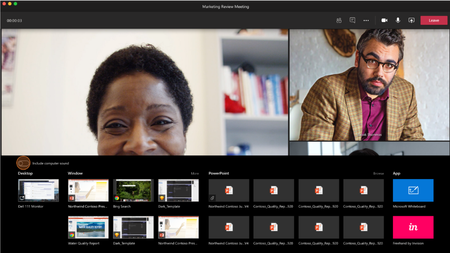
When sharing a Desktop or Window, users on the Teams Desktop App for Mac can now include their computer’s sound. This allows other meeting participants to hear the audio playing out...

giannib
Feb 09, 2021Copper Contributor
I too see the toggle but get no prompt to install the driver

metam0rphic
Feb 17, 2021Copper Contributor
I was also not able to get the driver installed by following the instructions. However, if I start a regular MS Team meeting and go through the steps on sharing content with audio, I do get the prompt and the driver installs. Then, when I start an MS Teams Live Event, the feature is working as designed.
 IamWJCFeb 17, 2021Copper Contributordid you do an actual meeting, or just a video call with a colleague? I hadn't done a meeting or live event, just a regular call and it wasn't prompting me for the install.
- metam0rphicFeb 17, 2021Copper Contributor
IamWJC - I used the "Meet Now" option so I didn't need to invite another colleague.
- IamWJCFeb 17, 2021Copper ContributorThat worked for me, I got the driver install!
 DeletedFeb 17, 2021
metam0rphic Yep, this works. You have to start a meeting *first* and then share screen content after and toggle the use computer audio switch to get the driver installation.