Forum Discussion

"Filter" tab in Sentinel's logs page.
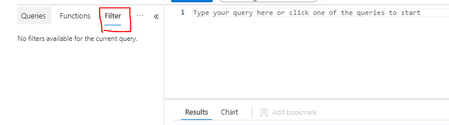
- Aug 25, 2022
ben_loy
You have to run a simple Query first, like:
Usage
|limit 10
Then this feature allows you to click on data, and [Apply and Run] which essential builds you a query - its good as you learn KQL or want to filter results (note it only shows top results) and if you add too many things at once it may build a query with no resultsSo when I click on the above, the new query built for me was this:
Usage
| where DataType == "SentinelHealth"
| limit 10

ben_loy
You have to run a simple Query first, like:
Usage
|limit 10
Then this feature allows you to click on data, and [Apply and Run] which essential builds you a query - its good as you learn KQL or want to filter results (note it only shows top results) and if you add too many things at once it may build a query with no results
So when I click on the above, the new query built for me was this:
Usage
| where DataType == "SentinelHealth"
| limit 10