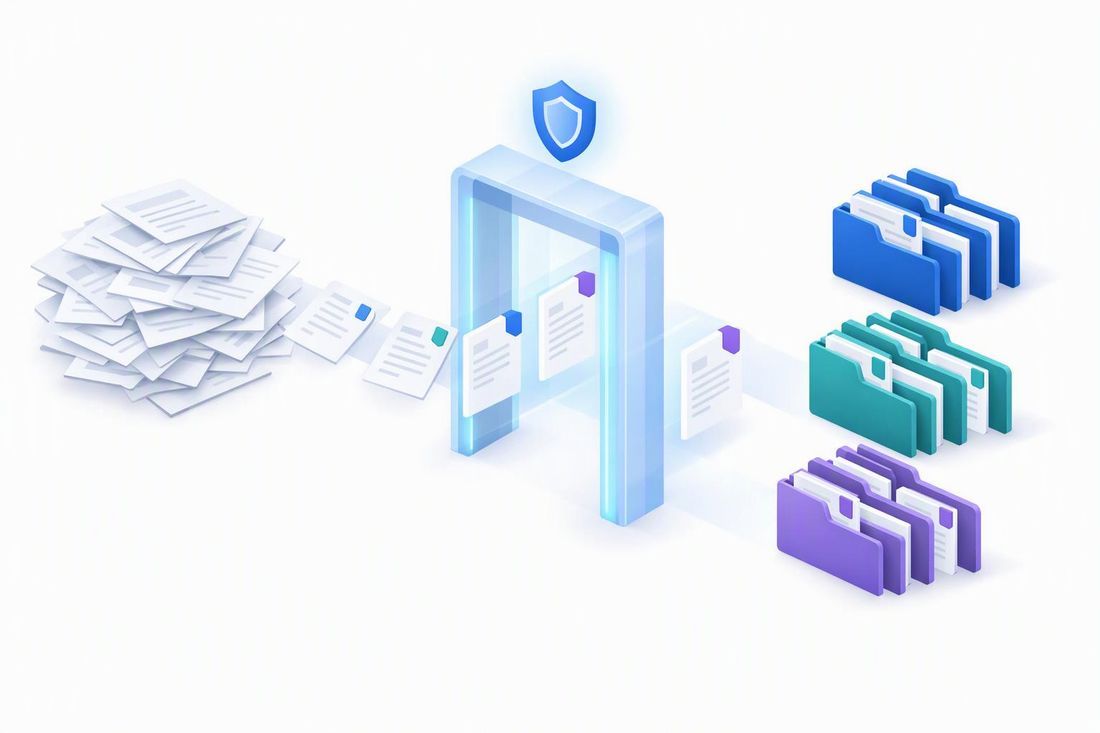
Approval stalls on trust, not technology. This playbook covers the eight scenarios that block sign-off, the evidence that clears each one, and a safe path from simulation to production.
The four questions every approver asks
| Access | Proof | Reversibility | Scale |
|---|---|---|---|
| “Will labeling change who can open our files?” | “Can we prove what gets labeled — and why?” | “Can we undo it if something goes wrong?” | “Will it finish at our size?” |
| Scenarios 1 · 2 | Scenarios 6 · 8 | Scenarios 3 · 7 | Scenarios 4 · 5 |
What unblocks approval
- Classify first, encrypt only where tested
- Bounded simulations reviewed by data owners
- Explicit approval gates
- A rollback runbook tested before turn-on
Eight scenarios at a glance — and who needs to say yes
| Sr.No | Scenario | What approvers ask | Security | Privacy & compliance | IT operations | Data owners |
|---|---|---|---|---|---|---|
| 1 | Label data at rest without widening access | Will a label open files to more people? | ● | ● | ◐ | ◐ |
| 2 | Sign-off from privacy and security teams | Can we see scope, samples and access impact? | ● | ● | ◐ | ◐ |
| 3 | Turn on safely, roll back safely | Can we undo it if it goes wrong? | ◐ | ◐ | ● | ◐ |
| 4 | Scoping very large tenants | Will it finish at our size, and when? | · | · | ● | ◐ |
| 5 | Simulations that never finish | Is it progressing or stuck? | · | · | ● | · |
| 6 | Trust in what gets labeled | Why was this file labeled? | ◐ | ◐ | ◐ | ● |
| 7 | Existing labels and conflicting policies | Will it overwrite our labels? Which policy wins? | ◐ | · | ● | ◐ |
| 8 | Proving it works after go-live | Can we defend the numbers? | ● | ◐ | ● | ◐ |
- leads the decision · ◐ consulted · Illustrative: typical roles — adapt to your organization.
Five gates every policy should clear
A scheduled turn-on date activates a policy even if nobody reviewed the results [Learn ↗], and only Compliance Administrator or Compliance Data Administrator or Information protection can turn a policy on [Learn ↗] — make both part of your change control.
Pre-flight: miss one and the policy runs but labels nothing — with no error [Learn ↗]
✓ Auditing turned on
✓ Sensitivity labels enabled for SharePoint and OneDrive
✓ PDF labeling on, if PDFs are in scope
✓ Auto-labeling available in your region
✓ E5-tier licensing
✓ A sublabel or standalone label — never a parent
✓ Label scoped to files
✓ Encrypting label: “Assign permissions now”, no expiry
✓ Content Viewer role to review matches
✓ Compliance Administrator to turn on
Scenarios 1–4: earn the first “yes”
Each scenario: what worries Contoso, why approval stops, how to unblock it, and what to show approvers.
Scenario 1 · Label data at rest without widening access
Security · Privacy & compliance
“Will a label open our files to more people than today?” — especially files restricted with Information Rights Management (IRM). [Real-world]
Why approval stops
- An encrypting label that grants all employees co-owner rights reads as wider access than the IRM already on some files. [Real-world]
- Encrypting auto-labels in SharePoint and OneDrive must use “Assign permissions now” with no expiry, and the last modifier becomes the Rights Management owner. [Learn ↗]
How to unblock it
- Label broadly with labels that classify but don't encrypt — access doesn't change. [Recommended]
- Encrypt only a short list of high-risk sites, using groups that mirror site membership. [Recommended]
- Keep IRM-heavy libraries out of client-side auto-labeling: it can replace unlabeled IRM when the user has the Export right; service-side does this only for email. [Learn ↗]
Show approvers: before-and-after access per label — members, guests, web, desktop and downloads.
Two kinds of labels
| Classify only | Classify + encrypt | |
|---|---|---|
| Access changes? | No | Yes — label permissions apply |
| Rights Mgmt owner | — | Last person who modified the file |
| Use it for | Broad coverage at rest | A few access-tested, high-risk sites |
Scenario 2 · Sign-off from privacy and security teams
Privacy & compliance · Security · Legal
Privacy and security teams pushed back on a large rollout, worried that labels could loosen existing access controls. [Real-world]
Why approval stops
- No single view of scope, samples, access impact and conflicts; regional reviews add steps — Contoso excluded one region. [Real-world]
- Simulation can trigger existing alert policies [Learn ↗], and labels alone don't stop Microsoft 365 Copilot from using content — that needs a data loss prevention (DLP) policy. [Learn ↗]
How to unblock it
- Limit match previews to the Data Classification Content Viewer role — global admins don't have it by default. [Learn ↗]
- Keep auditing on; label applied, changed and removed events are your evidence trail. [Learn ↗]
- Respect regional boundaries with admin units or adaptive scopes; scope alert policies during simulation. [Learn ↗]
- Reassure reviewers: auto-labeling doesn't change Modified or Modified By. [Learn ↗]
Show approvers: an approval pack each reviewer signs.
The approval pack
✓ Label meanings & encryption
✓ Owner-reviewed sample
✓ Who can view matches
✓ Audit trail
✓ Regional scope
✓ User communications
✓ Approver & pause criteria
Scenario 3 · Turn on safely, roll back safely
IT operations · Security · Business owners
A policy went live without business sign-off, labeled more than 20,000 items and confused users. [Real-world]
Why approval stops
- A scheduled turn-on date activates a policy even if nobody reviewed the results. [Learn ↗]
- Removing isn't restoring: a removal policy leaves files unlabeled and an active apply policy wins [Learn ↗]; bulk relabeling through Microsoft Graph is a protected, metered API. [Learn ↗]
How to unblock it
- Separate authors from approvers — only Compliance Administrator or Compliance Data Administrator can turn a policy on. [Learn ↗]
- No unattended turn-on dates; export simulation results before every edit or rerun. [Learn ↗]
- Turn on one policy at a time; review daily for the first two weeks. [Recommended]
- Test the rollback runbook on a pilot site before turn-on. [Recommended]
Show approvers: named approver, turn-on time, pause criteria and a tested rollback.
Safe rollout, with a way back
Scenario 4 · Scoping very large tenants
IT operations · Data owners
With hundreds of thousands of sites, Contoso couldn't approve a policy nobody could review — or a backlog with no end date. [Real-world]
Why approval stops
- Limits shape the design: 500K labeled files a day per tenant (shared), 100 policies, 1,000 hand-picked or 50,000 adaptive-scope sites per policy, 20M matches per simulation. [Learn ↗]
- Contoso split one scenario across policies to fit the old ceiling. Adaptive scopes refresh daily [Learn ↗] and can take days to fill. [Real-world]
How to unblock it
- Hand-pick sites when the list is maintained; use an adaptive scope when it changes; choose All once quality is proven. [Recommended]
- Segment by business unit or region; check scope membership before simulating. [Recommended]
- Start under 20M matches, turn on, then expand while the policy stays on.
- Location-based protection? Apply library default labels to existing files — one policy, up to 10 sites at a time. [Learn ↗]
Show approvers: a sizing sheet — sites, files, expected matches, days to clear
Work in waves across a large estate
Scenarios 5–8: keep the “yes” after go-live
Most surprises after turn-on trace back to classification, policy overlap or file state — not the policy itself.
Scenario 5 · Simulations that never finish
IT operations
Three policies showed “simulation in progress” for weeks, then expired with no files found; restarts didn't help. [Real-world]
Why approval stops
- About 12 hours is typical but isn't a deadline — don't restart just because the count is flat. [Learn ↗]
- A missing prerequisite fails silently [Learn ↗]; one of Contoso's adaptive scopes was several times the 50,000-site limit. [Real-world]
How to unblock it
- Check Status and Duration, then re-run pre-flight: auditing, label and PDF support, a sublabel (not a parent), label scoped to files. [Learn ↗]
- Validate scope size, then restart once — without editing the policy. [Recommended]
- “Failed to create job”? Reconnect with Connect-IPPSSession -EnableSearchOnlySession (module 3.9.0+). [Real-world]
- No progress after 48–72 hours [Recommended]: open a support case with status, timings and errors. [Learn ↗]
Show approvers: status, start time, duration, and expected / completed / failed locations.
When a simulation won't finish
Scenario 6 · Trust in what gets labeled
Data owners · Privacy & compliance
“Why was this file labeled — and will the next one be wrong?”
Why approval stops
- Files kept matching after a detector changed: unchanged files are reclassified only when created or modified, and restarting simulation doesn't reclassify them. [Real-world] [Learn ↗]
- Detectors need regular tuning, test tenants lack realistic data, and simulation counts are estimates. [Real-world] [Learn ↗]
How to unblock it
- Raise confidence and instance counts, use AND logic and exceptions, and combine detectors. [Learn ↗]
- Test detectors with positive and negative samples; refresh older files with on-demand classification — check cost and scope first. [Learn ↗]
- Agree precision thresholds before simulating; have data owners review samples. [Recommended]
Show approvers: owner-reviewed precision and “why it matched” for each sampled file.
Three stages — each answers a different question
Scenario 7 · Existing labels and conflicting policies
IT operations · Security · Data owners
“Will this overwrite labels our people chose — and which policy wins?”
Why approval stops
- Simulation shows one policy at a time; conflicts resolve only when all active policies run, and an apply policy beats a removal policy. [Learn ↗]
- Unexplained “label apply failed” events [Real-world]; one documented cause is an existing label of equal or higher priority. [Learn ↗]
How to unblock it
- Use one policy per protection intent and inventory the policies on each location. [Recommended]
- Confirm label priority and set the manual-label override option deliberately. [Learn ↗]
- Never pick a parent label — the policy runs but labels nothing. [Learn ↗]
Show approvers: the expected final label for representative files.
Will an existing label be replaced?
| Label already on the file | Replaced by an auto-labeling policy? |
|---|---|
| Manual, lower priority | Only with the override option on |
| Manual, higher priority | No |
| Automatic or default, lower priority | Yes |
| Automatic or default, higher priority | No |
Scenario 8 · Proving it works after go-live
Security · IT operations · Steering committee
The steering committee wanted counts it could defend, daily failure visibility, and clear conflict and retry attribution. [Real-world]
Why approval stops
- Views count different things over different windows; Activity explorer lags 60–90 minutes and doesn't name the policy that labeled an email. [Learn ↗]
- Coverage by simulation context shows only after turn-on, for 30 days. Only .docx, .xlsx, .pptx and PDF (opt-in) are labeled — not open files or list attachments, and no visual markings on documents. [Learn ↗]
How to unblock it
- Use the Insights tab's 30-day labeled-versus-failed view [Learn ↗] and triage by failure code — transient codes retry on their own. [Learn ↗]
- Review coverage after each wave; track unlabeled sensitive content in Data Security Posture Management (DSPM). [Recommended]
- Plan for legacy .doc, .xls and .ppt files, which are on the roadmap. [Preview]
Show approvers: labeled, pending and failed by site · precision · backlog days.
Where matched files land — and failure triage
- Labeled → sample
- Pending → re-check
- Failed → read reason
- No match → check scope
| Retries on its own | FileLocked · FileCheckOut · GetTagsFailure · RmsUnavailable |
| Needs a fix | UnsupportedFileType → turn on PDF labeling · EncryptedFileNotSupported → remove external encryption · DisabledOrUnsupportedLabel → publish the label |
| By design | CannotOverrideCurrentLabel · FileNotSupported · FileExtensionNotSupported · ZeroByteFile |
The golden path to approval
Seven steps that turn the eight scenarios into one repeatable rollout.
Limits that changed in 2026
Best-case days to clear a labeling backlog
Best case at the daily maximum. Real throughput depends on eligible files, file state, failures and other policies sharing capacity.
Size it before you simulate — worked example (Contoso, illustrative)
| Sites in scope | 40,000 | ✓ within 50,000 per adaptive scope |
|---|---|---|
| Files in scope | 60,000,000 | from your storage reports |
| Expected match rate | 10% | from a simulation sample |
| Expected matches | 6,000,000 | ✓ under the 20,000,000 ceiling |
| Files labeled per day | 300,000 | your observed rate, not the maximum |
| Days to clear the backlog | 20 | matches ÷ files labeled per day |
Useful PowerShell checks
- Connect-IPPSSession -EnableSearchOnlySession
- Get-AutoSensitivityLabelPolicy -Identity "<policy>" | fl Name,Mode,TestModeStatus, ExpectedLocations,CompletedLocations,FailedLocations
- Set-AutoSensitivityLabelPolicy -Identity "<policy>" -StartSimulation $true
Restart a simulation once, without editing the policy, after checking prerequisites and scope size
Top 3 behaviors to plan around
- Access impact is yours to verify. Encrypting labels make the last modifier the Rights Management owner, and client-side labeling can replace unlabeled IRM. Test with the exact label. [Learn ↗]
- Removing isn't restoring. A removal policy leaves files unlabeled — write and test a rollback runbook before turn-on. [Learn ↗]
- Simulation is a single-policy estimate. Conflicts resolve only when all policies run — confirm final labels on samples after turn-on. [Learn ↗]
Top 3 actions that build confidence
- Lead with classification-only labels; encrypt a small, access-tested set of sites. [Recommended]
- Bring an approval pack: owner-reviewed sample, simulation export, rollback runbook, monitoring owner. [Recommended]
- Start bounded, turn on one policy, and expand in waves with daily monitoring. [Recommended]
Automatically apply a sensitivity label ↗ Resolve issues with auto-labeling policies ↗ Resolve auto-labeling failures ↗
Classification and simulation concepts ↗ Review simulation results ↗ Insights tab for auto-labeling ↗
Adaptive scopes ↗ Sensitivity labels in SharePoint and OneDrive ↗ DLP for Microsoft 365 Copilot ↗
Secure by default: reduce false positives ↗ Graph: assign a sensitivity label ↗

 Microsoft