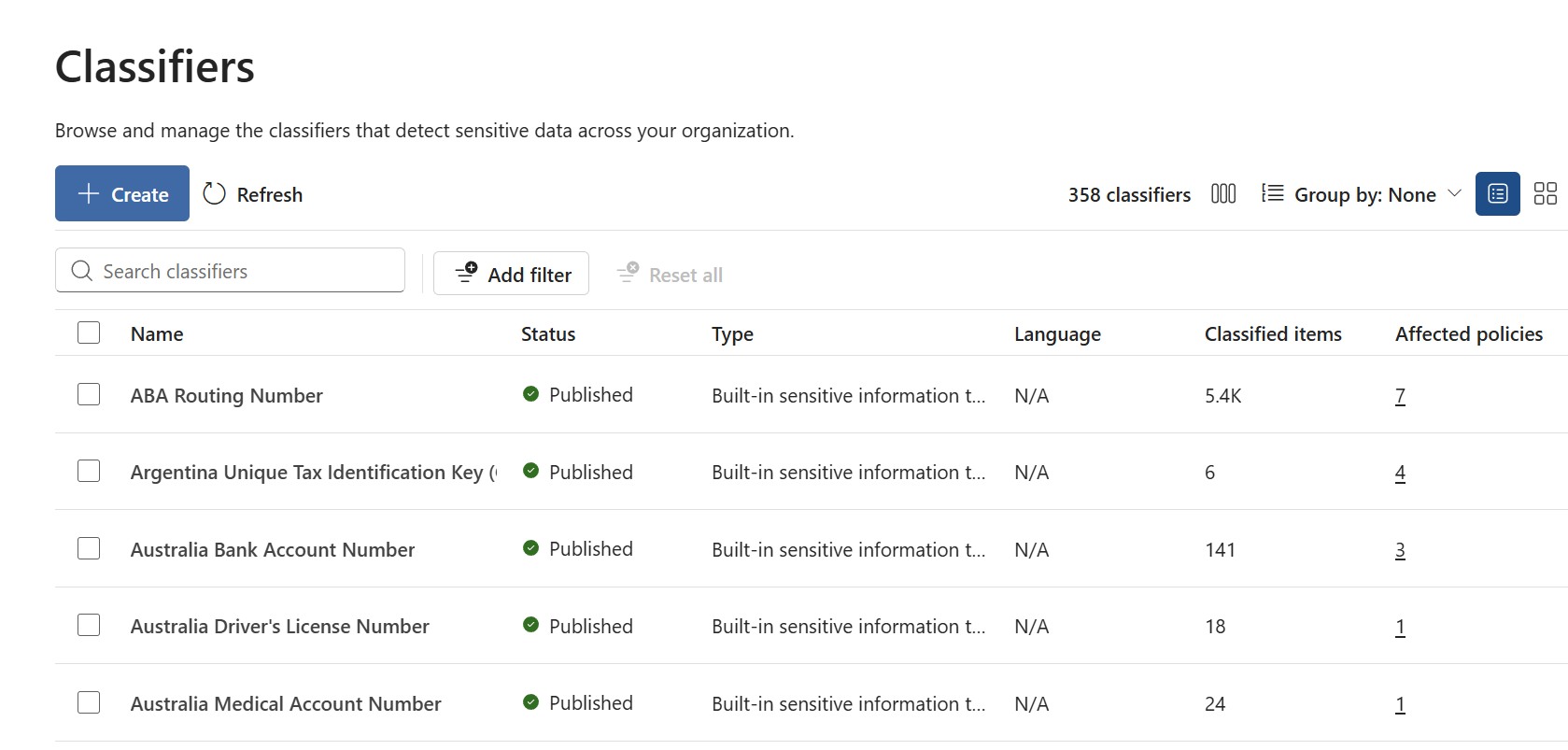
On September 30, 2026, the Microsoft Purview Unified Classification Management Experience entered public preview. The new Classifiers experience gives administrators one place to discover, create, inspect, and manage classifiers across Microsoft Purview. To help administrators get started, here's a practical, self-contained playbook focused on operational value, safe change management, and repeatable classifier governance.
Microsoft Purview Unified Classification Management Experience
Feature overview and administrator playbook
|
Overview |
Why this experience is important
Classification underpins data protection, data loss prevention, and data security. As classifier inventories grow, administrators need a consistent way to understand what exists, where it is used, and what could be affected by a change.
|
Centralized visibility |
Safer change decisions |
|
Stronger governance |
Better coverage analysis |
What administrators can do
- Discover supported classifier types and understand what the organization already uses.
- Create classifiers from a single entry point with type-specific preparation guidance.
- Review classified-item counts and inspect policies that depend on a classifier.
- Validate matched items across supported data sources and investigate unexpected coverage.
- Access Classifiers through Information Protection, Data Loss Prevention, or Data Security Posture Management, depending on tenant availability.
Supported classification capabilities include sensitive information types, named entities, Exact Data Match, trainable classifiers, credentials, document fingerprinting, optical character recognition, and on-demand classification.
How the experience can help
- Reduce context switching: Use one inventory to find and inspect supported classifiers.
- Understand impact earlier: Identify policy dependencies before a change reaches enforcement.
- Improve accountability: Connect classifiers to business owners, policy owners, and reviewers.
- Standardize operations: Apply the same lifecycle to routine maintenance, quality improvements, and retirement decisions.
How the admin playbook helps
The companion playbook turns the preview into a practical operating guide. It is designed to be the first place an administrator goes to understand the value of the experience and apply it safely.
- Explains the administrator value of unified classifier management.
- Provides a continuous Inventory
- Offers a decision guide for selecting an appropriate classification method.
- Shows how to review policy impact and validate matched items.
- Includes customer scenarios and answers to common licensing, permissions, and coexistence questions.
|
INVENTORY → ASSESS → TEST → APPROVE → CHANGE → VALIDATE → REVIEW |
Resources
|
Public documentation |
|
Administrator playbook |

 Microsoft