Blog Post

Microsoft Copilot Blog
4 MIN READ

Introducing Office in the new Microsoft Copilot app

Sumit_Chauhan's avatar
Sumit_Chauhan
Icon for Microsoft rankMicrosoft
Oct 09, 2026

Microsoft Office has defined productivity for the PC era, driving the shift from desktop software to cloud computing and collaboration-based work. Now, we’re defining productivity in the AI era with Microsoft Copilot. The Copilot app is where you can move from intent to outcome. Start with an idea, and work with AI to bring it to the finish line.

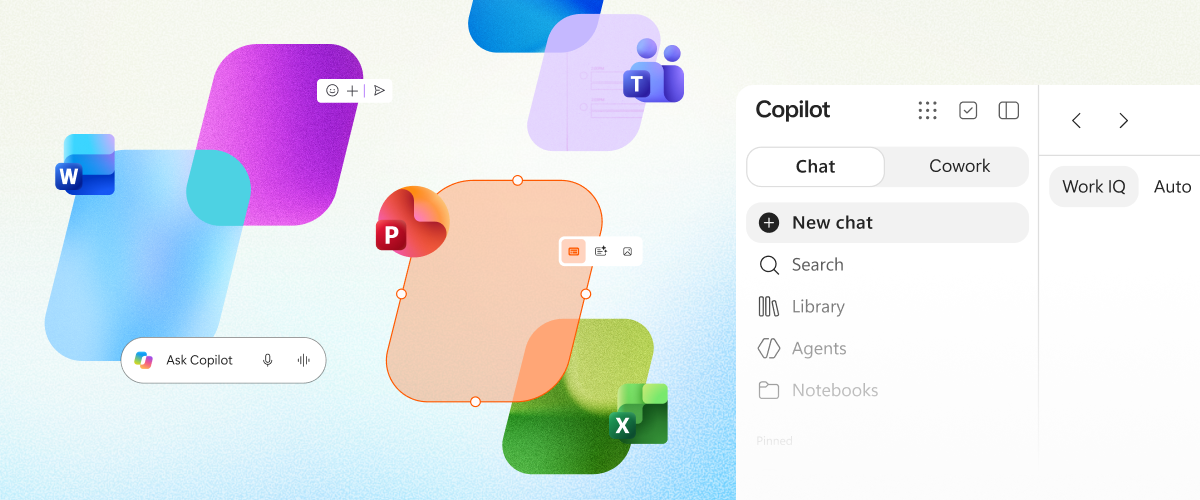
Today, we’re bringing the full power of Office into the Copilot app, combining the rich creation and collaboration capabilities of Word, Excel, and PowerPoint with an AI-first way of working. You can start in either Chat or Cowork to explore an idea or create a first draft, then continue editing and collaborating directly within the same experience. Office in Copilot allows you to move from an idea to a finished document, spreadsheet, or presentation without losing context - within Office in Copilot or if you switch to the standalone apps. 

That continuity matters because work is often complex: documents have multiple contributors, presentations are built from branded templates, and spreadsheets power important business decisions. By bringing Office into Copilot, people can use the editing, fidelity, and collaboration capabilities they already rely on without leaving their AI-powered workflow.

Copilot also gives users flexibility within that workflow: they can select the model that best fits the task at hand or let Auto choose the right model automatically.


Built for teamwork

Great work rarely happens in a single prompt. A launch brief becomes a working document, a budget model changes as assumptions shift, and a presentation takes shape through rounds of feedback. The Copilot app is designed for that full journey—not just the first draft.

Give Copilot a prompt, like “Turn these research notes into a customer-ready launch brief with an executive summary, key messages, risks, and next steps.” Copilot creates a Word document, which opens side by side with your Copilot conversation.

Your conversation history is retained, and you can continue to iterate on the document with follow-up prompts like “Make the opening more direct,” or “Add a table comparing the three rollout options.” You also have full editing capabilities, so you make direct edits using familiar controls available in the canvas itself.

When it’s time to bring others in, you can work with teammates in the same view with built-in sharing, comments, coauthoring, and presence. Any changes that you or others make are visible in real time. Copilot retains everything in the same file with no separate drafts to reconcile. The result is a connected experience where creating, editing, and collaborating happen in one place, in real time.

A home for your work

Sometimes the next step starts by building on work you’ve already created. Library in the Copilot app brings your recent files across Word, Excel, and PowerPoint, as well as pages and AI-generated images, whether they were created in Copilot or in the Office apps. You can quickly find and reopen an existing file, continue editing it alongside Copilot, or even start a new document, spreadsheet, or presentation directly from Library.

Because every file is stored in OneDrive, the work remains connected wherever you pick it up next. Files retain their formatting, comments, sharing permissions, and version history, while inheriting the security labels, compliance, and governance controls organizations already trust. From a first prompt to the latest team edit, your work stays easy to find, ready to continue, and grounded in the same familiar Office file.

New experiences across Microsoft 365

We're also continuing to improve Copilot across Microsoft 365,  ensuring the latest is coming to Office in Copilot.

In PowerPoint, Copilot helps keep presentations on-brand automatically, makes it easier to refine slides and images, and quickly apply custom templates. In Excel, users can review edits made by Copilot, understand what changed, and create visualizations with chart recommendations. Across Microsoft 365, Skills and connectors bring specialized expertise directly into the flow of work, from financial analysis in Excel to legal workflows in Word, while enabling organizations to scale best practices through reusable, role-specific experiences. The result is a work experience that connects specialized AI assistance with the tools people use every day.

Office, wherever work happens

For decades, Office has helped people turn ideas into documents, data into decisions, and presentations into action. As Copilot becomes a new way to work, we're bringing familiar Office creation and collaboration experiences directly into that environment.

This is another step toward a more unified experience where AI and productivity tools work together seamlessly.  From the first idea in the Copilot app to the final deliverable in the Office apps, people can move from intent to outcome with less friction and more momentum.

Office in Copilot is rolling out today for Frontier customers in Chat and Cowork.

Updated Oct 09, 2026
Version 2.0

6 Comments

  • SimonJHudson's avatar
    SimonJHudson
    Brass Contributor

    I have those same concerns. Suddenly MS are providing capabilities for OneDrive and not for SharePoint, as if OneDrive is an acceptable place for enterprise content (it almost never is).

    Someone needs to look at the strategy document again, or we are all in trouble.

    It's seriously frustrating that I can't update SharePoint documents from Copilot Chat , for example. What's the point of having Office document support if we can't store those documents where they originated, where policy and good IA says they most be managed. 


  • dunklezhan's avatar
    dunklezhan
    Tin Contributor

    "Because every file is stored in OneDrive, the work remains connected wherever you pick it up next. "

    Wait, what happened to 'create it where it lives'?!! We've spent like 15 years trying to train people into putting things that should be shared in a location that's shared, and only using OneDrive when it needs to be private and even then probably only temporarily if it's business-related, which is entirely in line with MS best practices and adoption approaches... and now you're going to have copilot come in and drive a bus through it and put AI in SharePoint for working with files behind a paywall (SharePoint AI innovations hit GA, powering new Copilot app and agents | Microsoft Community Hub)?!

    Why do you always find a way to corrupt the utility of what would otherwise be great features Microsoft? It's like youre a DnD GM playing 'corrupt a wish' with your players and cackling madly at the results.  

  • PeterJSY's avatar
    PeterJSY
    Copper Contributor

    Absolutely in excellent addition to office and cobalt looking forward to seeing what they're not for profit sector can get from it as well 

    Petet

  • Matt-edu's avatar
    Matt-edu
    Tin Contributor

    Team, I love the way you are heading, but you need to remember the majority of organisations are not Frontier. 

    You need to target comms and announcements better to frontier, so the rest of us can ignore until it is actually hitting general availability. The pace of change is high, and organisations are going to be left in the dark because your focus is on early adopters rather than your core user base.

    Basically, it's really hard to try and keep track on GA features because you are flooding us with Frontier.

  • dwainew's avatar
    dwainew
    Copper Contributor

    Sumit,

    I LOVE all the fantastically powerful integration you've described.  My reaction to reading documents like this, however, brings me back to lamenting the lack of success in the basics.  I have MANY example chats saved in copilot where I'm begging, and IT is explaining why IT can't access what I'm asking it to work with. 

    I get similar results in the Copilot App, edge, and onenote to name a few of the most common apps I try to use Copilot in.  Results are intermittent at best... presumably due to various product managers tinkering in the background, turning knobs and flipping switches, laughing uncontrollably and screaming to the heavens... "I HAVE COMPLETE CONTROL AND I WISH I COULD SEE THEIR FACES WHEN THEY TRY THIS!!!!!"

    For example, I just now pasted the full header and contents of an email into a new onenote page,

    opened up the copilot chat window and prompted:  

    please find on this page the email header and decipher it into a narrative report of the emails history.... 

    The response from copilot was: 

    I can do that, but I can't currently read the contents of the open OneNote file. I attempted to retrieve FL DOS acceptance.onepart, but no accessible content was returned from Microsoft 365 search.

    Please either:

    1. Paste the full email header into the chat, or
    2. Copy the relevant section from the OneNote page and paste it here, or
    3. Upload/export the message as a .eml, .msg, or text file.

    Once I have the header, I'll produce:

    • A hop-by-hop delivery timeline
    • Sender and recipient analysis
    • SPF, DKIM, and DMARC authentication results
    • Relay/server path interpretation
    • Timestamp normalization
    • Any forwarding, routing, or filtering observations
    • A plain-English narrative report describing the email's complete journey from sender to recipient

    Just paste the header beginning with lines similar to:

    Received:

    From:

    To:

    Subject:

    Date:

    Message-ID:

    Authentication-Results:

    and I'll decode it into a detailed narrative report.

    My prompt:

    so I need you to remind me what the purpose is for a copilot plugin in onenote if you don't have access to the currently open page.

    Copilot response:

    That's a fair criticism.

    The purpose of Copilot inside OneNote is not merely to answer generic questions. A reasonable expectation is that it should be able to understand and work with the content you're actively viewing. In your case, you had FL DOS acceptance.onepart open in OneNote, and you asked me to find an email header on that page and analyze it.

    What happened is that I was aware a OneNote file named FL DOS acceptance.onepart was open, but the information available to me did not include the actual page contents. When I attempted retrieval, no accessible content was returned, so I could see the page reference but not the text inside it.

    There is an important distinction between:

    • Knowing a file or page is open.
    • Having permissioned access to the contents of that file or page.

    In this interaction, I had the first but not the second.

    From a user perspective, that's understandably frustrating because the visible experience is "I'm in OneNote, the page is open, why can't Copilot read it?" That's a valid question.

    The intended value of Copilot in OneNote includes things like:

    • Summarizing notes.
    • Extracting action items.
    • Organizing research.
    • Finding information across notebooks.
    • Answering questions about page content.
    • Converting raw notes into reports, outlines, and drafts.

    Those capabilities depend on the OneNote content actually being provided through the available data path. In this conversation, that content was not exposed to me, only the page identifier was.

    So the honest answer is:

    If I cannot access the contents of the currently open page, I cannot perform content-specific analysis of that page, and that limits one of the primary reasons users expect to use Copilot in OneNote.

    Had the email header been available, I could have produced the hop-by-hop delivery narrative you requested. Instead, I only knew that FL DOS acceptance.onepart existed and was open.

    If you'd like, I can help determine whether this is:

    1. A limitation of the current OneNote/Copilot integration,
    2. A permissions issue with the notebook,
    3. A synchronization issue, or....


    You get the idea....  It just feels like mayhem.

    The company I work for is all in on MS365... outlook, teams, AD, now moving to Entra, but management is pushing Claude for this exact reason.

    Imagine that; a Microsoft shop, yet the Copilot integration and implementation is so wonky, they're willing to expose their internal network to a third-party AI provider!

  • SimonJHudson's avatar
    SimonJHudson
    Brass Contributor

    I'm very interested to try this, especially as I tend to do a lot of my creative thinking via Copilot on my mobile device, where interactive directly with Office apps is limiting. 


    However, this statement "Because every file is stored in OneDrive, the work remains connected" the up a red flag. OneDrive is great, but it's absolutely not where most document activity happens. SharePoint is, and must be, the primary collaboration and content space. Please reassure me that Office in Copilot can start and end with SharePoint content, not isolated OneDrive content.