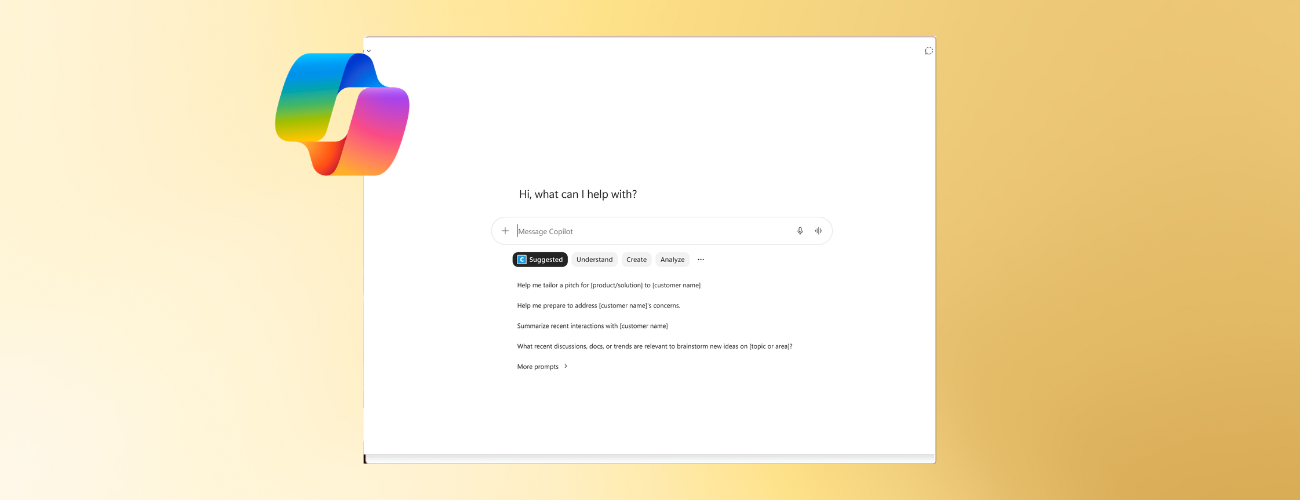
We’re excited to share that you can now use prompts custom-made by your organization’s admins in Microsoft 365 Copilot Chat to streamline responses.
What’s new
You now can access curated prompts that reflect your organization’s priorities, terminology, and workflows in Microsoft 365 Copilot Chat. These suggested prompts enable you to work faster and generate richer, more tailored responses.
Watch the video below to learn more:
How it works
- Open Microsoft 365 Copilot, sign in with your enterprise account, and navigate to a new chat.
- Under the prompt box, select Suggested to view suggested custom prompts. To view all custom prompts, select More prompts.
- Select the prompt you need and fill in the bracketed information.
- To search for custom prompts, type a keyword into the Search box in the Prompt Lab. You can also filter for custom prompts by selecting a topic or department on the left-hand pane. This image reflects the Frontier experience. Experiences may differ for other users.
NOTE: Prompt Lab is only available if your admin has added custom prompts to your tenant.
For information on creating and editing prompts as an admin, read: Organizational prompts for Microsoft 365 Copilot.
Availability
This feature is available to users with Microsoft 365 Copilot Standard and Premium licenses.
Feedback
We’d love to hear what you think! To provide feedback, select the thumbs up or down buttons in Copilot.
Learn about the Microsoft 365 Insider program and sign up for the Microsoft 365 Insider newsletter to get the latest information about Insider features in your inbox once a month!

 Microsoft
Learn about the Microsoft 365 Insider program at https://aka.ms/MSFT365InsiderProgram
For technical support and break/fix questions, please visit Microsoft Support Community.
