Managing multiple tenants shouldn't mean multiplying administrative complexity
As AI adoption accelerates, enterprises and managed service providers are managing more Microsoft 365 tenants across subsidiaries, regions, business units, and customers, each with its own configurations, policies, and agents. Every added tenant multiplies the work: repeated deployments and configuration changes slow service delivery, inconsistent policies make security and compliance harder to maintain, and Copilot and AI agents add new demands for governing availability, usage, and AI spend.
For partners, this can limit efficient service scaling across customers; for enterprises, it complicates consistent governance while preserving each business unit’s operational independence. A unified approach can replace repetitive administration with centralized visibility and action while preserving the boundaries of individual environments.
Multi-tenant management is available in the Microsoft 365 admin center
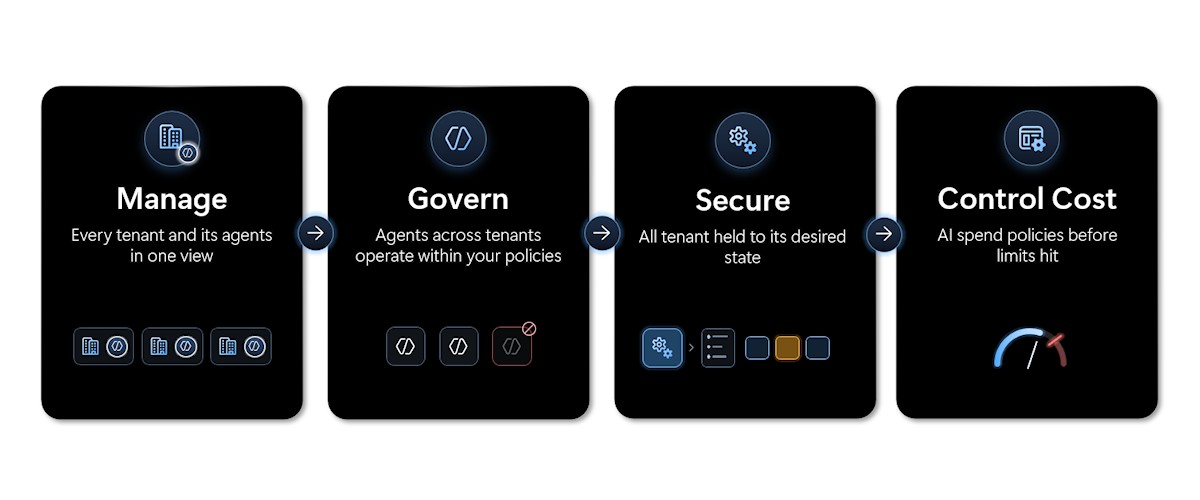
We're excited to announce multi-tenant management capabilities in the Microsoft 365 admin center. Through All tenants, authorized administrators get one familiar place to manage Microsoft 365, Copilot, AI agents, and AI spend consistently across eligible, connected tenants. This helps:
- Simplify tenant administration with a consolidated view of connected tenants and seamless switching, without repeated sign-ins.
- Manage agents at scale with cross-tenant inventory, deployment, approvals, and governance actions.
- Secure tenants by standardizing configuration and managing change at scale with baselines, and drift remediation.
- Control AI spending with consolidated consumption information and reusable spending policies.
Together, these capabilities help partners deliver repeatable services across customer portfolios and help enterprise IT teams govern distributed environments consistently. See how multi-tenant management replaces tenant-by-tenant administration with centralized visibility and action:
Simplify tenant administration
Managing multiple tenants has traditionally meant navigating separate environments and repeating sign-ins and tasks. With tenant switching, generally available, administrators move between authorized tenants in the Microsoft 365 admin center without signing out and back in or keeping separate admin accounts in each one. That means less time navigating individual environments and more time supporting customers, business units, and organizational priorities.
Centralized administration doesn't remove tenant boundaries. Partner access is governed by Granular Delegated Admin Privileges (GDAP) relationships in Partner Center, and enterprises set up governance relationships using GDAP through Microsoft Entra Tenant Governance. Together with delegated roles, these relationships control which tenants administrators can access and what they can do.
Select any tenant to switch to it, with no need to sign out and back in.
Manage and govern agents at scale
As Copilot and AI agent adoption grows, administrators need to know which agents are available, where they're deployed, and how they're governed, without reviewing each tenant separately.
Multi-tenant agent management, in public preview, helps organizations extend agent adoption while maintaining consistent administrative oversight. From All tenants, administrators can act on supported agents across connected tenants, based on their delegated permissions:
- View the cross-tenant agent inventory and add supported agents to it.
- Install approved agents across selected tenants.
- Manage agent availability, settings, and permissions across tenants, and block agents where appropriate.
- Access agent risk and activity information with Microsoft Agent 365.
This enables more consistent agent deployment and governance across tenants, reducing repetitive administration while maintaining control over agent availability and access.
Add, install, manage, and block agents across tenants, and quickly spot agents at risk or without owners.Select an agent to see its data and tool access, permissions, security policies, and usage by tenant, and to fine-tune its settings and availability.
Secure tenants by standardizing configuration and managing change at scale
Routine changes by different administrators, teams, and business units gradually pull tenants out of alignment, forcing administrators to inspect individual tenants, compare configurations, and work out which differences are intentional.
Desired-state configuration, in public preview, helps organizations establish what good looks like and maintain that standard across their tenant estate. Administrators start from Microsoft-recommended baselines or define their own from supported tenant-wide settings, then apply them across eligible tenants. Configuration monitoring then helps identify where a tenant's settings drift from its baseline, so administrators can prioritize and address deviations.
Central IT can establish consistent standards while accommodating business-unit and regional differences, and partners can deliver repeatable configuration management services tailored to customer-specific requirements. The result: continuous, systematic configuration oversight instead of periodic manual checks, with more repeatable security, compliance, and operational practices.
Configuration management capabilities enable you to create desired configuration states as baselines, assign these baselines to the tenants that you manage, then monitor those tenants for drift from the assigned baselines and then fix those drifts.Control AI spending
Consumption billing for Copilot and AI agents adds a new cost dimension. Setting up spending policies, enabling the right users, and monitoring usage is manageable in one tenant, but repeating that work across dozens or hundreds of tenants quickly becomes impractical.
AI cost management, in public preview, brings greater visibility and consistency to these activities. Administrators can view AI consumption across supported tenants, drill into individual tenants, and apply reusable spending-policy templates across eligible tenants instead of recreating policies one tenant at a time. Spending information, policy limits, and credit requests help them spot emerging cost concerns early. For partners, this enables repeatable cost-management services and a shift from resolving individual customer issues to proactive portfolio oversight.
Centralized visibility and controls for AI spending help you optimize consumption and scale Copilot investments responsibly across managed tenantsGet started with multi-tenant management
Find multi-tenant management under All tenants in the Microsoft 365 admin center. Before you start, confirm that the right tenant relationships, delegated roles, and licensing are in place:
- Partners: Review active relationships and delegated admin roles in Partner Center.
- Enterprises: Review tenant governance relationships and permissions in Microsoft Entra Tenant Governance
Tenant switching is generally available; AI cost management, agent management, and desired-state configuration are in Public Preview. Availability and supported functionality may vary by eligibility, licensing, administrative roles, geography, and rollout status.
To learn more, explore the following resources:
- Manage agents across multiple tenants in the Microsoft 365 admin center
- Manage AI spend across tenants in Microsoft 365 admin center
- Configuration management across tenants in Microsoft 365 admin center
- Open the Microsoft 365 admin center
- Governance relationships in Tenant Governance - Microsoft Entra ID Governance | Microsoft Learn
- Add and manage multiple tenants in your Partner Center account

 Microsoft