Forum Discussion

Issue with Vision AI Developer Kit
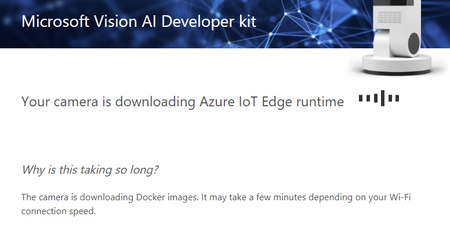
- Oct 22, 2019
Thanks for the update. If the web pages doesn't open at all it typically indicates that the devices are not in the same network after all. Do you happen to have physical cable attached to your laptop? If yes, you'll need to disconnect and only use WiFi. I have seen that in those cases it still defaults to physical connection. The easiest way to get a picture out from the device is to use HDMI display. Do you have a chance to do that? It needs to be native HDMI, most adapters don't work.
Can you do "adb shell docker ps" with ADB and confirm that all four default modules are running? edgeAgent, edgeHub, AIVisionDevKitGetStartedModule and WebStreamModule

The dockers are only running if adb shell docker ps shows them
Can you do:
adb shell docker container list -a
It lists the docker containers in your device. They should be based on the docker pull commands (by the way using docker pull is a exception, normally they should be downloaded automatically)
This is so weird. I'll ask around if someone knows what's going on.
I would recommend pressing the power button for 5 seconds and doing the whole device setup again. When the leds are flashing you can log in to the device, open setupaicamera.ms in your browser and do the OOBE (Out of Box Experience) again. If you are prompted with an option to either reset the camera or reconfigure WiFi, please select "reset camera" and follow the instructions.

 wwernerOct 31, 2019Copper Contributor
I have not yet gotten the device work properly. The internet connection is o.k.
The listed containers are:
but "adb shell sudo iotedge check" reported:
So one can see that once the connection worked:
- Jussi NiemelaOct 30, 2019Former Employee
You shouldn't need to typically pull docker containers yourself, it's a special case kind of thing if your containers don't get automatically pulled. Have you ever gotten the device work properly?
Can you please do:
adb shell ping www.bing.com to make sure that your device has internet connection.
and
adb shell docker container ls -a to list all the containers you currently have in your camera
- wwernerOct 30, 2019Copper Contributor
My problems are similar to Diaaala's problems. I tried one of your proposals and got the following notice:
- Jussi NiemelaOct 26, 2019Former Employee
Have you checked your Azure IoT Hub to see if you have created a device there? What does it say about the modules? https://ms.portal.azure.com/ -> IoT Hub -> IoT Edge (from the side menu).
If you access the actual device what does this view look like to you?