security
772 Topics
How to disable Microsoft Defender sign-in prompt.
We're using the default Microsoft Defender in Win 11 Pro on workstations on a domain network. On this network, access to things like OneDrive are just flat out not allowed for security reasons. User's can log in to things like the MS Store, Google accounts, etc. Every time a user logs on using their domain credentials they get a popup from the Microsoft Defender icon in the systray informing them they need to sign in for "best protection". Since they're not permitted to use "any" remote sites for things like data storage there is no need for them to sign in to "ANYTHING" remote. Presently the buttons present on the popup are "Sign In" and "Dismiss". Per a GPO setup they flat out can't sign in even if they tried. But is there a way in GPO to completely eliminate this popup appearing? I've looked in GPO settings for Defender for both computer and user, but there's nothing that jumps out at me to indicate I can do this without totally and completely disabling Microsoft Defender entirely. TIA. - Carl9Views0likes1Comment
Windows Sandbox
I had to reinstall my computer after the NVMe drive failed and was replaced. The current version of Windows is Windows 11 Business, version 25H2 (OS build 26200.7462). I enabled Windows Sandbox. However, it fails to run with the error: “Windows Sandbox failed to initialize. The media is write-protected (0x80070013)”. I previously had this Windows optional feature enabled without any issues. I have disabled BitLocker, turned off some core isolation features, disabled other Microsoft Defender anti-virus features and in addition followed some recommended steps in Microsoft Support documentation. However, the issue persists. Any help would be greatly appreciated.586Views1like5CommentsProblem creating a subfolder or modifying the contents of a folder
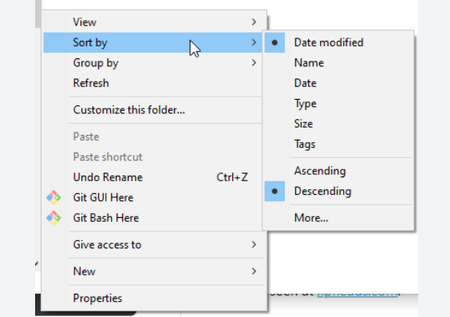
A problem happens to me that I already had and which seemed to have resolved itself more or less at the time. When I want to modify the contents of a folder (add a new subfolder, modify the name of a file,...) the modification does not appear. I am forced via the explorer to come out of my folder then enter it again to see that the subfolder is indeed created or that the name of a file has been modified. This is obviously very painful to use. When this happened to me a few months ago I saw people who had had the same problem and I tested proposals without success until one morning the problem disappeared. IT'S reappeared but I no longer know what I was asked to do. Does anyone on this forum know the issue and can explain it by suggesting a way to resolve it?71Views0likes2CommentsUrgent: Stop the "Security Theater." UAC Needs Parent Process Visibility NOW.
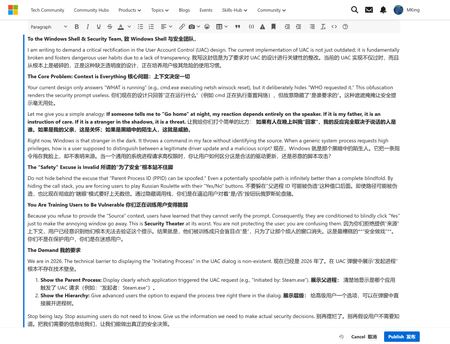
Subject: Urgent: Stop the "Security Theater." UAC Needs Parent Process Visibility NOW. To the Windows Shell & Security Team, I am writing to demand a critical rectification in the User Account Control (UAC) design. The current implementation of UAC is not just outdated; it is fundamentally broken and fosters dangerous user habits due to a lack of transparency. The Core Problem: Context is Everything Your current design only answers "WHAT is running" (e.g., cmd.exe executing netsh winsock reset), but it deliberately hides "WHO requested it." This obfuscation renders the security prompt useless. Let me give you a simple analogy: If someone tells me to "Go home" at night, my reaction depends entirely on the speaker. If it is my father, it is an instruction of care. If it is a stranger in the shadows, it is a threat. Right now, Windows is that stranger in the dark. It throws a command in my face without identifying the source. When a generic system process requests high privileges, how is a user supposed to distinguish between a legitimate driver update and a malicious script? The "Safety" Excuse is Invalid Do not hide behind the excuse that "Parent Process ID (PPID) can be spoofed." Even a potentially spoofable path is infinitely better than a complete blindfold. By hiding the call stack, you are forcing users to play Russian Roulette with their "Yes/No" buttons. You Are Training Users to Be Vulnerable Because you refuse to provide the "Source" context, users have learned that they cannot verify the prompt. Consequently, they are conditioned to blindly click "Yes" just to make the annoying window go away. This is Security Theater at its worst. You are not protecting the user; you are confusing them. The Demand We are in 2026. The technical barrier to displaying the "Initiating Process" in the UAC dialog is non-existent. 1. Show the Parent Process: Display clearly which application triggered the UAC request (e.g., "Initiated by: Steam.exe"). 2. Show the Hierarchy: Give advanced users the option to expand the process tree right there in the dialog. Stop being lazy. Stop assuming users do not need to know. Give us the information we need to make actual security decisions. Disappointed and Expecting Change, A Windows User who refuses to click "Yes" blindly.56Views0likes3Comments
How can I easily install pending Windows updates on my PC?
Call 1-855-535-7109. To install pending Windows updates easily on your Windows PC, follow these steps: Open Windows Settings: Press Windows + I to quickly open the Settings menu. Go to Update & Security: In the Settings window, select Update & Security. Check for Updates: Under the Windows Update section, click Check for updates. Windows will search for any pending updates. Install Updates: If updates are available, click on Install to begin the installation process. Windows will automatically download and install the updates. Restart Your Computer: After updates are installed, a restart may be required. Windows will prompt you to restart, or you can manually restart your PC. Use Windows Update Troubleshooter (if issues occur): If updates aren’t installing properly, try using the Windows Update Troubleshooter. Go to Settings > Update & Security > Troubleshoot > Additional troubleshooters, then select Windows Update and run the troubleshooter.60KViews3likes3CommentsFind desktop files in full Windows 11 crash
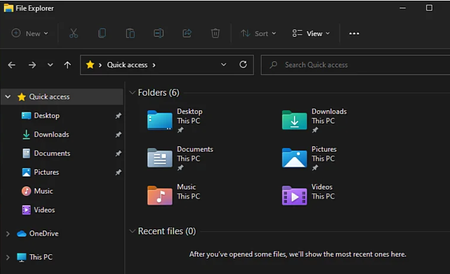
So I have a big Windows 11 crash. I tried everything, impossible to get into the machine whatever the method used. - restoration - modification of elements at startup - repair integrated into windows - boot on DVD, boot on key - etc Even win11 repair via installation DVD does not work. I get an error message telling me that I cannot install Windows on the dedicated partition. So I give up, I've already wasted a lot of time. I got my Windows version back in cmd and as a last resort I will do a complete reinstallation via DVD or return to factory configuration. So I entered the machine in a Linux environment by booting from a key, and I was able to save the 800GB of files from one of the partitions to external HDDs. But... The only data I can't recover is that which was on the desktop; on the OS partition therefore. So yes normally we don't save anything important on the desktop, except that for convenience I have three/four small files which are there permanently... (in .txt and in .odt) Many times I figured I'd move them and create a shortcut, but I didn't... - As the machine does not start under Windows environment, I do not access the desktop. - and on linux I follow the path where the folder is normally located, but it's not there... C: /Users/name/ I tried c:/Users/public I also tried in C:/users/name/documents He's not there either I displayed the hidden folders. Nothing. Can this file be found elsewhere? Or the fact that Windows cannot start prevents you from finding the desktop folder and its files? I did a search on the name of one of the files, and I can't find it either. I just see it appear vaguely in a list of files that Linux shows me as recently opened: but these are only traces I have the impression, I don't have a physical file behind it. It's a sort of temporary file. I don't know if you can find anything in cmd? Or if anyone has an idea to get their hands on it or tell me it's definitely dead and I won't be able to find these files without Windows booting? Thank you so much!37Views0likes2Comments
Device Guard
I'm running into an issue running downloaded binaries in a Windows Sandbox. The error indicates that the Device Guard feature is protecting my system. How do I override this protection? Is there an interactive security control, or perhaps a registry variable, that applies? My research thus far has located a method for establishing Code Integrity Policies. Is this an aid to this problem? Thanks in advance.54Views0likes3CommentsVulnerabilities in Windows Web Experience Pack and C++ Application Develoment Framework
I am dealing with a hacker that is exploiting vulnerabilties in these 2 apps in windows. They were calling a location update using these apps and the NIC would drop out and come back. Im not in the know on how to report exploits. I personally dont have the knowledge to win this battle. I hope someone could help me out with this issue.51Views0likes5Comments
Windows search bar problem - searching for updates creates a problem.
i bought a new laptop and i typed the word, up, in the search bar. i typed, up, because it auto completes usually to updates, and then i click on check for updates, and the computer opens the update panel. i found the following problem. i press up. the check for updates appears. then i press check for updates, the blue button. and then, after any updates get installed, the keyboard stops typing completely. i go in the browser, and i cannot type. the only thing i can do in that occassion, is i can go back to the search bar, and i press backspace one time. and then it auto completes the word, up. this does not work if i have typed any other word, including, update. it appears to happen, only if you search for the, check for updates, button, by typing, up, and waiting for the autocomplete. after the keyboard gets stuck, you press backscape in the search bar, in the bottom of windows, and it auto completes, up. and you cannot type, until you restart.96Views0likes3CommentsHow to go back to single screen from dual display?
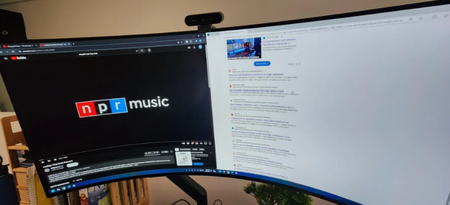
I recently got a LG 45" ultragear monitor and figured out how to extend the displays into 2 displays. But is there a way to go back to 1 display and use the entire monitor? When I went into my display settings and clicked "Show only on 1", the right half of my screen just turns black. Appreciate any help I can get.49Views0likes2Comments