Forum Discussion

srabago
Aug 24, 2023Copper Contributor
'Work - Edge' Desktop Shortcut Reappears after deleting and reopening Edge Browser
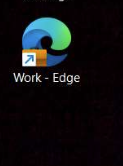
End user removes the spam Desktop shortcut labeled 'Work - Edge': Once they reopen the Edge browser, the app shortcut reappears.
- Aug 29, 2023
Hi Everyone - The fix for this was released to Microsoft Edge Beta Version 117.0.2045.12. If you have access to the Beta Channel, please test and let us know if the issue has been resolved.
The fix should also be included in the next Stable release, which should be later this week if there are no delays. Thanks!
-Kelly


chrisco341
Sep 14, 2023Brass Contributor
Hopefully this helps someone, here is powershell to remove all of these links from a user's one drive. You can also load a user list (or i did a compliance search for users with the offending links) and loop through it.
$AdminEmail = "youradminemail @ domain.com"
$SharePointURL = "https://yourtenant-admin.sharepoint.com"
Connect-SPOService -Url $SharePointURL

$OneDriveURL = "https://yourtenant-my.sharepoint.com/personal/user_domain_com"

Set-SPOUser -Site $OneDriveURL -LoginName $AdminEmail -IsSiteCollectionAdmin $True
Connect-PnPOnline -Url $OneDriveURL -Interactive

$ListItems = Get-PnPListItem -List "Documents/Desktop"
ForEach($Item in $ListItems)
{

	$FileUrl = $Item.FieldValues['FileRef']
	if ($FileUrl -like "*Work - Edge*") {
		Remove-PnPListItem -List "Documents/Desktop" -Identity $Item -Force
		Write-Host $FileUrl
	}
}
chrisco341
Sep 14, 2023Brass Contributor
I will warn, the above powershell is not a fast process lol. Took about 15 mins to loop through a user who had 3000 shortcuts. As with any powershell scripts, please do your own testing and vetting before running against production accounts.
 JASONPEELSep 14, 2023Copper Contributor🙂
We have/had some users who ended up with over 100000 Chrome shortcuts, similar to whats happening with these Work - Edge shortcuts and use a similar script. It takes hours. What we used to do was create a folder called "NewDesktop" copy all the files/folders from their Desktop folder minus the shortcuts to that. Then delete the desktop folder, then rename NewDesktop to Desktop. Was great until we enabled retention policies and now cant delete folders that arent empty so have to delete files 1 by 1. Can never win.