Forum Discussion

Deleted
Feb 16, 2021Problem: Startup Boost x Extensions Button
It is necessary to leave the Startup Boost feature disabled otherwise if the computer is restarted the command --enable-features=ExtensionsToolbarMenu will be ignored and the extensions button ...
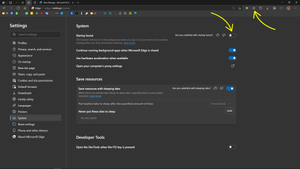
- Feb 16, 2021I don't think it's a bug, I could use this switch for Edge features + startup boost enabled, just keep it off first, close Edge, launch Edge with the feature switch, enable startup boost and after you close Edge and reopen it, you will have your features and won't lose them.
to take care of this problem on startup, open up task manager, go to startup tab, disable Edge or Microsoft Edge in there, Don't accidentally disable Edge update or Edge updater, only disable Edge or Microsoft Edge.
with this method that I also use myself, you get the benefit of startup boost + features you forcefully enabled.
just remember to distribute the correct shortcut to Taskbar, Start menu etc.
so for example if your Edge desktop shortcut contains the feature switch, go to Start menu and taskbar and Unpin all those shortcuts. then right-click on Edge shortcut on desktop and Pin it to Start menu and Taskbar.

HotCakeX
Feb 16, 2021MVP
I don't think it's a bug, I could use this switch for Edge features + startup boost enabled, just keep it off first, close Edge, launch Edge with the feature switch, enable startup boost and after you close Edge and reopen it, you will have your features and won't lose them.
to take care of this problem on startup, open up task manager, go to startup tab, disable Edge or Microsoft Edge in there, Don't accidentally disable Edge update or Edge updater, only disable Edge or Microsoft Edge.
with this method that I also use myself, you get the benefit of startup boost + features you forcefully enabled.
just remember to distribute the correct shortcut to Taskbar, Start menu etc.
so for example if your Edge desktop shortcut contains the feature switch, go to Start menu and taskbar and Unpin all those shortcuts. then right-click on Edge shortcut on desktop and Pin it to Start menu and Taskbar.
to take care of this problem on startup, open up task manager, go to startup tab, disable Edge or Microsoft Edge in there, Don't accidentally disable Edge update or Edge updater, only disable Edge or Microsoft Edge.
with this method that I also use myself, you get the benefit of startup boost + features you forcefully enabled.
just remember to distribute the correct shortcut to Taskbar, Start menu etc.
so for example if your Edge desktop shortcut contains the feature switch, go to Start menu and taskbar and Unpin all those shortcuts. then right-click on Edge shortcut on desktop and Pin it to Start menu and Taskbar.
- DeletedFeb 16, 2021
- DeletedFeb 16, 2021
- HotCakeXFeb 16, 2021MVPYou're welcome!