Forum Discussion

NicolSD
May 14, 2019Steel Contributor
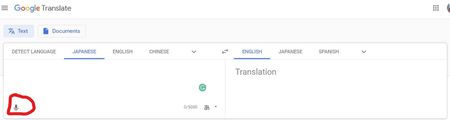
Edge can't use the mic in the Google Translate page
Edge Canary and Dev don't seem to know how to use a microphone. I tried the following steps both on a workstation connected to a Logitech's Brio webcam's microphone, and a Surface Pro 4 using the bui...
 Jan 13, 2020My guess is that all these Tools use the WebSpeechApi which only works on Google Chrome/Chromium (at least the recognition part) because Google uses it's own cloud servers for the audio transcription. Since the new Edge is basically Chromium it probably thinks that the WebSpeechApi is supported and breaks. The API behaves very strange currently in Edge.

HotCakeX
Dec 13, 2020MVP
I keep getting this error. no extension or tracking prevention is applied to it.
it shows me the prompt to allow mic access, then I talk and it shows the heart beat animation as if it's listening to my voice but then after few seconds, I get this
I'm assuming it's different from Google translate voice because that one works fine for me
florianSB
Dec 15, 2020Brass Contributor
I wrote about bugs in the Web Speech implementation here:
Re: Web Speech API support ? - Page 2 - Microsoft Tech Community
Basically Edge is very eager to throw "network" errors where it should throw "no-speech" and it occasionally drops the "onend" event which will probably break 90% of all pages using it.