Forum Discussion

Dev build unable to sign into HBO GO (Chrome, Firefox, and classic Edge all work perfectly)
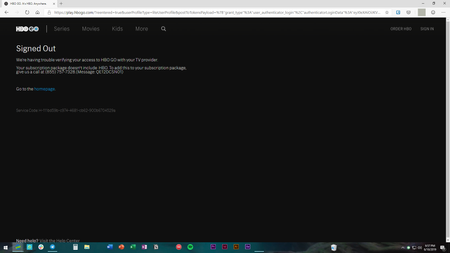
- Jun 19, 2019
I've figured it out! I'd cleared cookies on hbogo.com, but those are not the only cookies HBO stores!
To fix this issue (if you get it):
- Go to Edge's Settings
- Go to Site Permissions on the left menu
- Open the Cookies subpage
- Click "See all cookies and site data"
- Type in "hbo" and remove anything HBO related: auth.hbo, hbogo, hbo.com, hbola, etc.
Refresh the HBO GO home page and voila, it will properly redirect this time!

Ah, no worries. I wanted to make sure I got what you were saying.
Technically, you don't need a subscription to see the bug. Clicking any provider here should automatically fail with that error, if this is a genuine bug and not just something weird on my system: https://play.hbogo.com/login
I appreciate the help. I've tried on two systems, but both immediately spring the error. Perhaps a re-install will help.
I've figured it out! I'd cleared cookies on hbogo.com, but those are not the only cookies HBO stores!
To fix this issue (if you get it):
- Go to Edge's Settings
- Go to Site Permissions on the left menu
- Open the Cookies subpage
- Click "See all cookies and site data"
- Type in "hbo" and remove anything HBO related: auth.hbo, hbogo, hbo.com, hbola, etc.
Refresh the HBO GO home page and voila, it will properly redirect this time!