Forum Discussion

 Microsoft
Introducing web capture for Microsoft Edge
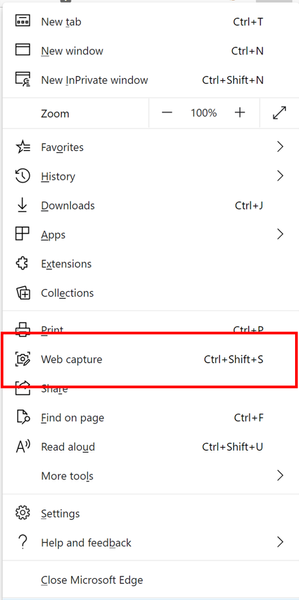

I have it on Edge Dev right now. I do and need to take screenshots and annotate them regularly but web capture at its current state is not very helpful for me, I mean it works, it takes screenshots as it's supposed to 🙂
There is a thread dedicated to this feature, a lot of good suggestions mentioned there, please consider all of them and implement the most requested ones.
Some missing features that I'm looking for: (annotating/writing on web page, take screenshot while scrolling down a web page, add sticky notes to the web captures, integration with OneNote, option for "save as" to save the web capture to a specific place instead of the default downlaods folder, etc)
Another thing I should mention is that this feature is very useful for other operation systems (Linux/Mac) which might not have something like Snip & Sketch, so a built-in tool in the browser will come handy.
Thanks

I find the current iteration of "Snip and Sketch" pretty useless-
- HotCakeXOct 01, 2020MVPSpoiler
gcuneo2 wrote:
I find the snip and sketch tool to be a hot mess. It's a "clunky" work flow. I use FastStone Screen Capture- a simple utility that allows easy screen captures without using the keyboard (It keeps your eyes on your screen). I can enter text on a capture it, draw arrows, highlight a selection on a capture, blur or pixelate information as needed, capture video....
I find the current iteration of "Snip and Sketch" pretty useless-I find Snip & Sketch quite useful.
it does have easy screen capture.
1. by searching for the apps name on Windows earch.
2. by launching it using PrntScrn button on the keyboard.
3. by launching it using the button in the action center (without keyboard)
so that's for ease of usage.
you can draw, write with touch or mouse, annotate, erase, crop, use ruler or protractor to draw any shapes.
ones you're done, you can use the share button and open it with whatever app to apply any other kinds of filters and retouch.
it's perfectly useful for majority of people. it obviously doesn't record videos which is normal since it's not its purpose.
if you don't like to use it, that's totally fine, but the fact is, that tool is quite useful and serves its purposes.
