Forum Discussion

Announcing a new way to paste URLs, Link format!

Scott Arbeit Sadly, it never did what you describe of copying what you select. Try a URL with non-ASCII characters like https://en.wikipedia.org/wiki/Białystok. What used to get put on the clipboard was the text https://en.wikipedia.org/wiki/Bia%C5%82ystok. Now you get this plus the following HTML as well as two new link formats.
<a href="https://en.wikipedia.org/wiki/Bia%C5%82ystok">Białystok - Wikipedia</a>
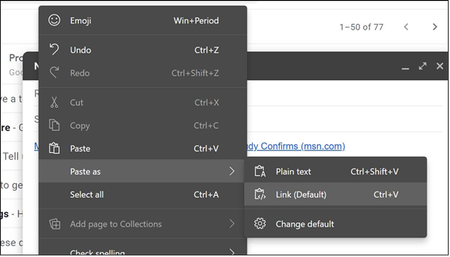
What bothers me more is that Win+V is deceptive. I see the following yet this isn't what is pasted. There is no combination of Win+V and Paste Special. Even Ctrl+Shift+V is Edge specific.

Thank you, rshupak.
I'm not able to reproduce the behavior you describe on that URL (and I have tested other non-ASCII cases as well).
A few questions for you to better understand what you are experiencing:
- Which channel and build of Edge are you using? You can find both the build and channel in edge://version
- Where exactly (in which website, web app or Windows app) are you attempting to paste the URL?
- What is your default format setting in edge://settings/shareCopyPaste ?
- How are you attempting to perform the paste (ctrl+v, ctrl+shift+v or the right-click context menu)?
For example, when I use the "plain text" paste format here, I get: https://en.wikipedia.org/wiki/Bia%C5%82ystok. as you described I should.
Thanks very much,
Jared