
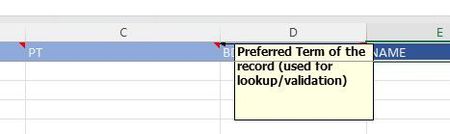
I'm migrating a VSTO Excel add-in to JS and noticed a features that's not available yet. In the VSTO model, we can create cell comments/notes that are intended as documentation, showing the user t...

ChemMitch
Feb 18, 2025Brass Contributor
Great news indeed!
Is there an example of how to add a Note to a cell?
- AdrianWuFeb 18, 2025
Microsoft
No problem! You can try the following code snippet:
async function run() {
  try {
    await Excel.run(async (context) => {
      // Get the currently active worksheet
      const sheet = context.workbook.worksheets.getActiveWorksheet();

      // Get the current note count
      const noteCountBefore = sheet.notes.getCount();
      await context.sync();
      console.log("Notes before:", noteCountBefore.value);

      // Add a note to cell A1
      const expectedContent = "This is a test note.";
      const note = sheet.notes.add("A1", expectedContent);
      await context.sync();

      // Load and display the note details
      note.load(["content", "authorName"]);
      await context.sync();
      console.log("Note author:", note.authorName);
      console.log("Note content:", note.content);

      // Verify the note count increased
      const noteCountAfter = sheet.notes.getCount();
      await context.sync();
      console.log("Notes after addition:", noteCountAfter.value);
    });
  } catch (error) {
    console.error("Error:", error);
  }
}
Hope this is helpful!
