Carousel_Wrapper
Title
Featured Content
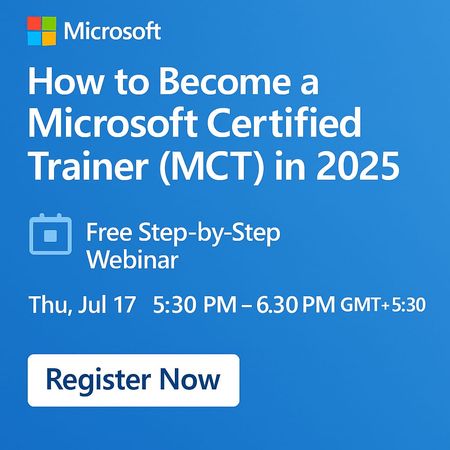
Are you passionate about teaching technology and helping others grow? Do you want to join an elite global community of certified trainers and elevate your tech career? 🎓 Join this free step-by-step...
Jul 12, 2025728Views
0likes
4Comments
Group Content
New Microsoft Applied Skill Alert – Create Agents in Microsoft Copilot Studio (APL-7008)
Hi Friends👋 If you’ve been demoing Copilot Studio in your classes, here’s a quick way to validate and showcase those agent-building skills—without sitting a full certification exam. Why grab this micro-credential? Hands-on, half-day lab — prove you can build, publish & govern generative-AI agents end-to-end. Instant résumé boost — digital badge drops into Credly the moment you pass. Perfect add-on to PL-300/PL-400/PL-700 prep or any Power Platform course you teach. Lab tasks you’ll master Design the agent persona & generative AI instructions Build topics, variables & rich dialogues (Adaptive Cards included!) Call Dataverse data with Power Automate flows Publish to Microsoft Teams & the web, then secure with content moderation Prep in three steps Run the free learning path: Create agents in Microsoft Copilot Studio (9 bite-size modules). Skim the official study guide checklist (APL-7008). Spin up a trial tenant for learners and let them practice before the live lab. Ready? 👉 Copilot Studio Applied Skill Let’s keep empowering our students (and ourselves) to build the next generation of AI agents inside Microsoft 365. If you earn the badge, drop it below—would love to celebrate your win! 🏆 #CopilotStudio #AppliedSkills #PowerPlatform #GenerativeAI5.5KViews3likes3Comments✨ An AI Toolbox for Trainers
If you’re ready to move from “AI-curious” to “AI-powered” in your classroom, this learning path walks you through how to: Pick the right AI tools for your training ecosystem Pilot them safely and measure impact Govern usage with solid ethics & data-privacy practices Design inclusive experiences (adaptive content, live translation, accessibility) Build time-saving workflows that give you hours back each week It’s the perfect next step once you know the tech basics and want to revamp your decks, labs, and assessments for the Copilot era. 👉 Start learning: https://learn.microsoft.com/en-us/training/paths/ai-toolbox-for-trainers/ Microsoft Learn #MCT #EdTech #GenerativeAI #TrainerToolkit #MicrosoftLearn452Views2likes1CommentHow AI can interact with Microsoft Dynamics 365 Business Central?
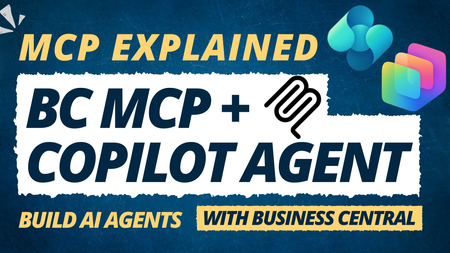
🔹 What is MCP? Think of MCP as a secure bridge between AI agents and Business Central. It enables AI to retrieve, add, and update live business data using natural language prompts. 🔹 What you'll learn in this tutorial: ✅ Understanding MCP and its role in AI-powered business applications ✅ Configuring the MCP Server in Business Central ✅ Defining and exposing Business Central objects for AI access ✅ Building a custom AI agent in Copilot Studio ✅ Connecting the agent to Business Central through MCP ✅ Testing the integration with real-world scenarios, such as retrieving live customer information One of the most exciting aspects of MCP is how it simplifies the connection between AI and enterprise systems, opening new possibilities for automation, productivity, and intelligent business processes. Whether you're a Business Central Consultant, Developer, Functional Consultant, or simply interested in the future of AI-powered ERP solutions, this tutorial is an excellent starting point. 🎥 Watch the tutorial here: https://www.youtube.com/watch?v=XXDa68oFTw8 What Business Central use cases would you like to see powered by AI agents? #BusinessCentral #Dynamics365 #MCP #ModelContextProtocol #CopilotStudio #MicrosoftCopilot #AIAgents #GenerativeAI #ArtificialIntelligence #PowerPlatform #Dynamics365BusinessCentral #ERP #DigitalTransformation116Views1like0CommentsLearning Module Alert for Career Boosters!
Looking to stand out on LinkedIn and nail your next interview? Check out this Microsoft Learn module: 👉 Enhance your LinkedIn profile and ace your interview with Microsoft Copilot 🔗 https://learn.microsoft.com/en-us/training/modules/enhance-linkedin-profile-with-copilot-ace-your-interview/ 📌 What you’ll learn: How to polish your LinkedIn headline and summary using Microsoft Copilot Use AI to analyze job descriptions and match your skills effectively Prepare for interviews by generating mock questions and AI-driven responses Practice storytelling techniques to make your experience shine Whether you're a Microsoft Certified Trainer guiding learners, or a job seeker preparing for your next big break, this module offers hands-on, AI-powered tips to upgrade your professional brand! Let's empower our community with AI-forward career readiness. Share this resource with your learners and network today! #MicrosoftLearn #Copilot #LinkedInTips #AIforCareer #MCTCommunity #CareerGrowth #InterviewPrep #MicrosoftCopilot #LifelongLearning168Views1like0Comments

Navigation
Discussion
Microsoft Tech TalksJul 06, 20268 Posts Blog
Microsoft Tech TalksJun 07, 20262 Posts Knowlege Base
Microsoft Tech TalksJul 16, 20251 Post Events
Microsoft Tech TalksJul 17, 20267 Posts
Recent Blogs
- Artificial Intelligence is rapidly transforming the way businesses interact with their systems and data. One of the latest developments enabling this transformation is the Model Context Protocol (MCP...Jun 07, 2026195Views0likes0Comments
- What is Power BI? Power BI is Microsoft’s leading business intelligence tool that empowers users to connect to various data sources, transform raw data into interactive dashboards, and share insight...Jun 26, 20252KViews1like0Comments