Forum Discussion

Cooper Beutel
Oct 04, 2018Copper Contributor
Start menu layout cannot be changed
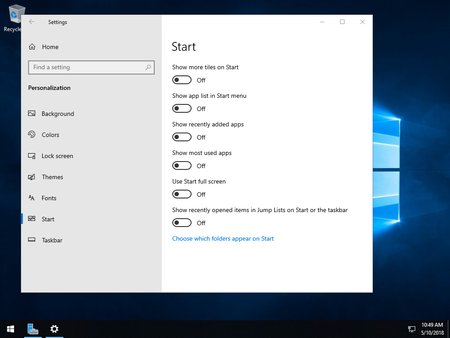
Having just installed an evaluation copy of Windows Server 2019, I cannot make any changes to the start menu layout. For example; unchecking "Show app list in Start menu" from the Start menu settings...
- Apr 02, 2019
https://support.microsoft.com/help/4490481 - the KB doesn't specifically mention this bug, but the fix is included in this update. You can download from here: Microsoft Catalog


makbeth
Mar 15, 2019Copper Contributor
You can reproduce problem without logging off - simply restart Explorer, using Task Manager. So, I think this problem is not related to the user profile. Moreover, desktop settings are saved between sessions.
ClasseJohansson
Mar 15, 2019Copper Contributor
I have tried your help. But I can't personaliz my Start page. If I go to "Windows Settings" and "Personalization", "Start", and set "Use Start full screen" to ON it dosn't work. It works OK before
promotion server to Domain Controller. After that, it can't be done. It is the same for many other
functions under "Windows Settings. Is there some special settings for Windows Server 2019?