Forum Discussion

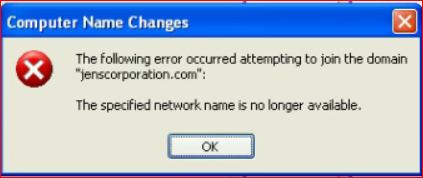
Cannot add to Domain
- Jun 21, 2021
On Jenserver I'd add server's own static ip address (192.168.1.76) listed for DNS then do ipconfig /flushdns, ipconfig /registerdns, restart the netlogon service.
On the DESKTOP-T93V54F I'd add the static ip address (192.168.1.76) of domain controller listed for DNS and remove the IPv6 addresses

Please run;
Dcdiag /v /c /d /e /s:%computername% >C:\dcdiag.log
repadmin /showrepl >C:\repl.txt
ipconfig /all > C:\dc1.txt
ipconfig /all > C:\problemworkstation.txt
then put `unzipped` text files up on OneDrive and share a link.

- Dave PatrickJun 21, 2021MVP
Dcdiag /v /c /d /e /s:%computername% >C:\dcdiag.log (run on domain controller)
repadmin /showrepl >C:\repl.txt (run on domain controller)
ipconfig /all > C:\dc1.txt (run on domain controller)
ipconfig /all > C:\problemworkstation.txt (run on problem workstation)- enaugavuleJun 21, 2021Brass Contributordone
https://1drv.ms/u/s!AkYdYvMF_DB2gQFd-t-QweTzco4C?e=8rrG9T- Dave PatrickJun 21, 2021MVP
On Jenserver I'd add server's own static ip address (192.168.1.76) listed for DNS then do ipconfig /flushdns, ipconfig /registerdns, restart the netlogon service.
On the DESKTOP-T93V54F I'd add the static ip address (192.168.1.76) of domain controller listed for DNS and remove the IPv6 addresses