Forum Discussion

Create a View on SharePoint Document Library Sub-Folder with PowerShell
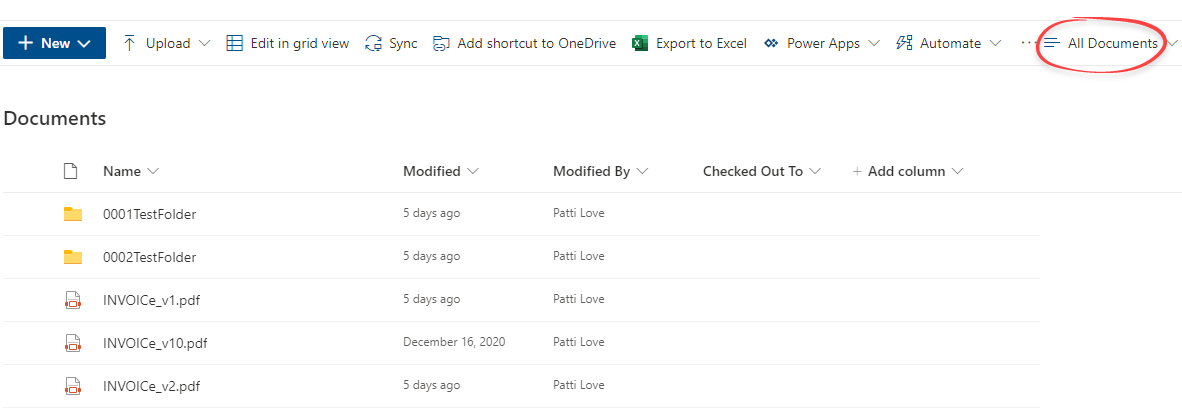
I'm trying to create views for sub-folders in a SharePoint Online document library using SharePoint Online Management Shell. The script creates the view but does not include the files in the sub-folder; it mirrors the display in the 'All Documents' view. I've changed the settings for the view, but it does not correct the display. Can you tell me what other information is needed in the script to display the files in the sub-folder view?
Thanks
Patti
#Config Variables
$SiteURL = "https://XXXX.sharepoint.com/sites/TestTeamSite"
$ListName = "Documents"
$ViewName = "0002TestFolder"
$ViewFields = @("DocIcon", "Name","Modified", "Modified By")
$ViewColumns = "DocIcon", "Name", "Modified", "Modified By"
$Query = "<OrderBy><FieldRef Name='Title' /></OrderBy><Where><Geq><FieldRef Name='Modified' /><Value Type='DateTime'><Today/></Value></Geq></Where>"

#Get Credentials to connect
#$Cred = Get-Credential

Try {
    #Connect to PNP Online
    Connect-PnPOnline -Url $SiteURL -UseWebLogin

    #sharepoint online pnp powershell create view
    Add-PnPView -List $ListName -Title $ViewName -ViewType Html -Fields $ViewFields -Query $Query -ErrorAction Stop
    Write-host "View '$ViewName' Created Successfully!" -f Green
}
catch {
    write-host "Error: $($_.Exception.Message)" -foregroundcolor Red
}
Hello PLove59,
If I understood you requirements correctly, you should create view first using Add-PnPView and then use Set-PnPView to set Values parameter for Recursive scope.
Set-PnpView -List $ListName -Identity $ViewName -Values @{Scope=[Microsoft.SharePoint.Client.ViewScope]::Recursive}Hope that helps.

2 Replies
- AndySvintsSteel Contributor
Hello PLove59,
If I understood you requirements correctly, you should create view first using Add-PnPView and then use Set-PnPView to set Values parameter for Recursive scope.
Set-PnpView -List $ListName -Identity $ViewName -Values @{Scope=[Microsoft.SharePoint.Client.ViewScope]::Recursive}Hope that helps.
 PLove59Brass Contributor
Thank your for your response. I added the Set-PnPView to the script, but the view still does not include the files within that subfolder. Unfortunately, I'm not very familiar with PowerShell and not sure how to proceed. Screenshots of the Documents and TestFolder views are below. Thank you for your assistance with this.