Forum Discussion

JacobBrown
Nov 14, 2025Iron Contributor
Windows using wrong timezone
So, at 11.00 local time (UTC +7), I noticed that my clock displaying wrong time. I thought it might be windows bug that can be fixed by restarting. Once restared, it still using the same time...

JaggerKnox
Nov 24, 2025Iron Contributor
- Open Settings: Press Windows + I.
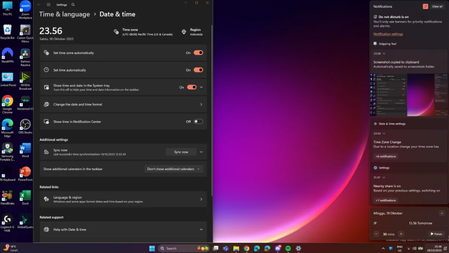
- Go to Time & Language: Click on "Time & Language" > "Date & time".
- Change Timezone: Use the dropdown menu to select "Bangkok" (UTC+7) or your correct timezone.
- Disable "Set time automatically": If it's enabled, toggle it off to manually set the time.
- Click "Change": If you want to set the time manually, click "Change" under "Set the time manually" and input the current correct time.