Forum Discussion

Alain_Gr
Feb 15, 2022Copper Contributor
Windows Update
Hi, I have the following message with "Windows Update"
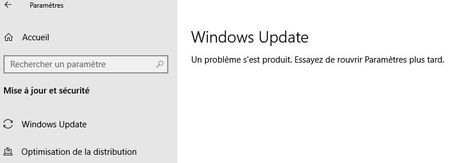

Alain_Gr
Mar 07, 2022Copper Contributor
Hello Little_Joe
I have done the Upgrade and my problem is not solved ( always the same ).
My windows Version has changed :
Best regards

Little_Joe
Mar 07, 2022Bronze Contributor
So you still got same error message and cannot get updates? If that's the case have you tried with another network maybe a personal hotspot? Let me know the result.
- Little_JoeMar 09, 2022Bronze Contributor
Hello,
Suggest you tried the following cmd within a elevated PowerShell or CMD window:
net stop wuauserv
net stop cryptSvc
net stop bits
net stop msiserver
ren C:\Windows\SoftwareDistribution SoftwareDistribution.old
ren C:\Windows\System32\catroot2 catroot2.old
net start wuauserv
net start cryptSvc
net start bits
net start msiserverIf that still not working then the you may have to perform a In-place or clean installation with Win10 ISO file.
- Alain_GrMar 09, 2022Copper ContributorYes, always the same message :
I have tried to connect with another network, with a box of another guy, and always the same !
I have seen in Forums on Internet, some people have the same problem and nobody get an answer except to do a re-install of Windows ( clean install !)
But perhaps, there is only to change a key value in the database register ?