Forum Discussion

Windows update is always failing with error code 0x80070643 and Defender stopped working after this

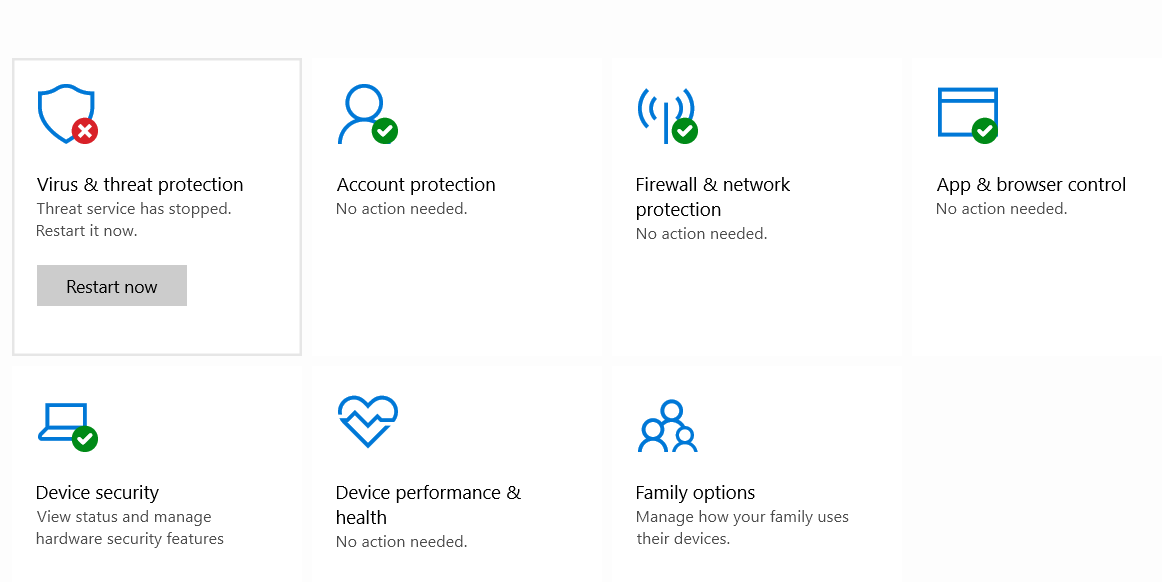


If you are in the insider program, please analyze the execution of a clean installation of Windows - but everything will be removed please make copies of your personal files:
https://docs.microsoft.com/en-us/windows-insider/ISOs#clean-installation-with-a-windows-insider-preview-iso
https://docs.microsoft.com/en-us/windows-insider/ISOs#clean-installation-with-a-windows-insider-preview-iso
Sometimes an in-place upgrade helps, but it doesn't always work.

Hi Deleted
Nope I am not in Windows Insider Program.
- DeletedMar 08, 2022
Re: Issue with Windows Defender on Windows 11 - Microsoft Tech Community
Please maybe there will be a solution here.
- Jainam_Chheda03Mar 13, 2022Copper ContributorMy error is solved now. I upgraded to win 10 21h2 from 21h1. Thanks for your suggestions Deleted !!!
- DeletedMar 08, 2022
https://www.microsoft.com/en-us/software-download/windows11
After downloading the tools for creating media, you can follow the steps that I suggested earlier 🙂