Forum Discussion

Praxius
Jul 30, 2021Copper Contributor
Windows Security - Virus & Threat Protection Disabled & will not Reactivate
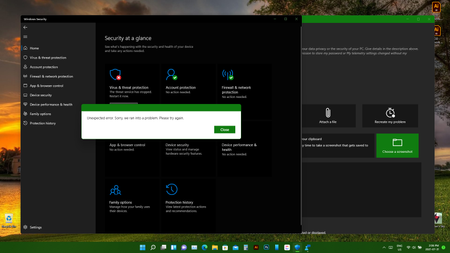
Greetings, I've been having issues with Windows Security starting up after every restart, which I had to manually activate. This hasn't been a huge deal for the most part, however in the...

Praxius
Jul 31, 2021Copper Contributor
Status Update:
I've run around checking the Windows Update issues, since I'm still pretty much on one of the first updates and it's not working. I checked Services / Registry and Windows Update was set to Manual Start rather than Automatic. I also didn't have ownership, so did some fiddling around and got it back to Automatic start up... but still won't update.
Read through a bunch of different tips and tutorials online and exhausted all basic options except the possibility I have a virus or malware hiding somewhere.
Since Windows Security isn't working (which was my original problem in the first place) so I grabbed AVG Antivirus (Free) to get me covered and do a scan. A quick scan caught one Malware which was removed. Restarted the system and Windows Update is still not doing anything. Windows Security is all happy with green checkmarks now, probably due to having an Antivirus running again.
Currently running a Deep / Full scan on the whole system to see if there is anything else hiding.
I suspect one of those restarts where Windows Security didn't start automatically left me vulnerable here and there and I must have forgotten to manually start & that's when these hit my system.
Will update again if / when I get this resolved and can update again (and Windows Security is also working) - In case anybody else runs into the same issue I have.
I've run around checking the Windows Update issues, since I'm still pretty much on one of the first updates and it's not working. I checked Services / Registry and Windows Update was set to Manual Start rather than Automatic. I also didn't have ownership, so did some fiddling around and got it back to Automatic start up... but still won't update.
Read through a bunch of different tips and tutorials online and exhausted all basic options except the possibility I have a virus or malware hiding somewhere.
Since Windows Security isn't working (which was my original problem in the first place) so I grabbed AVG Antivirus (Free) to get me covered and do a scan. A quick scan caught one Malware which was removed. Restarted the system and Windows Update is still not doing anything. Windows Security is all happy with green checkmarks now, probably due to having an Antivirus running again.
Currently running a Deep / Full scan on the whole system to see if there is anything else hiding.
I suspect one of those restarts where Windows Security didn't start automatically left me vulnerable here and there and I must have forgotten to manually start & that's when these hit my system.
Will update again if / when I get this resolved and can update again (and Windows Security is also working) - In case anybody else runs into the same issue I have.

Anthony
Jul 31, 2021Steel Contributor
Yeah, it's interesting that you're stuck on the older build release. Okay, lets see if anyone posts if they're having the same issues.