Forum Discussion

Praxius
Jul 30, 2021Copper Contributor
Windows Security - Virus & Threat Protection Disabled & will not Reactivate
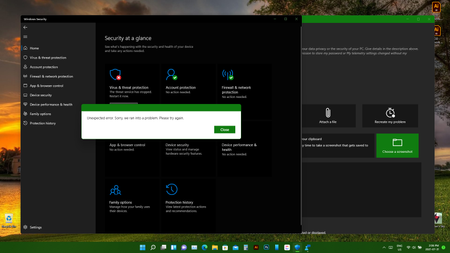
Greetings, I've been having issues with Windows Security starting up after every restart, which I had to manually activate. This hasn't been a huge deal for the most part, however in the...

Anthony
Jul 30, 2021Steel Contributor
Yeah, I can manually start it. I don't get the message you have. I'm not sure why you're getting that message. You should be on build .100 and not .51 as .51 was the first DEV build. But if you're on .100 it could be something related to your computer or software causing interference (maybe another virus or anti-malware blocker). If you're just coming over from Windows 10 than you can revert back to Windows 10 through Go Back than try Windows 11 again. Windows Update, Advanced Options, Recovery, Go Back.

Praxius
Jul 31, 2021Copper Contributor
Thanks, but it's been on 11 since it released. So it seems the main issue is it's out of date and not updating to the new build (my other system hasn't had an issue) I'll have to dig further into the update troubleshooter to see why it's not updating. Chances are that's why the Virus / Security is messed up now. As mentioned, the first trouble check detected an error with Windows Update, but though it said it fixed the issue, my system still says it's up to date (clearly not)
Thanks again. I think we're narrowing down the problem. I'll post an update once I dig into it a bit more.
Thanks again. I think we're narrowing down the problem. I'll post an update once I dig into it a bit more.