Forum Discussion

Praxius
Jul 30, 2021Copper Contributor
Windows Security - Virus & Threat Protection Disabled & will not Reactivate
Greetings, I've been having issues with Windows Security starting up after every restart, which I had to manually activate. This hasn't been a huge deal for the most part, however in the...

Praxius
Jul 30, 2021Copper Contributor
Update:
So I went back into Windows Update and checked again for some and there weren't any. I set the settings to download updated for other products, etc. There were three Intel items that downloaded and installed. To be safe, I restarted the system, logged back in and then opened Security right away to see what was going on.
It was checking things for a couple of minutes, then it seemed like it was ok, but last scan and other details came up as "Unknown."
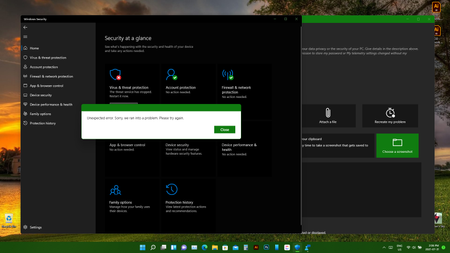
Now, just as I was typing this, Windows Security just barfed itself again, but with a new error. It bounced back to "The Threat Service has Stopped. Restart it Now" but this pop up appeared:
"Your IT Administrator has limited access to some areas of this app, and the item you tried to access is not available. Contact the IT Help Desk for more information."
Clicked ok and now I'm back to my original error above.
So I went back into Windows Update and checked again for some and there weren't any. I set the settings to download updated for other products, etc. There were three Intel items that downloaded and installed. To be safe, I restarted the system, logged back in and then opened Security right away to see what was going on.
It was checking things for a couple of minutes, then it seemed like it was ok, but last scan and other details came up as "Unknown."
Now, just as I was typing this, Windows Security just barfed itself again, but with a new error. It bounced back to "The Threat Service has Stopped. Restart it Now" but this pop up appeared:
"Your IT Administrator has limited access to some areas of this app, and the item you tried to access is not available. Contact the IT Help Desk for more information."
Clicked ok and now I'm back to my original error above.
 AnthonyJul 30, 2021Steel ContributorCurrently at the time of this post we're on 22000.100 build. Both Dev and Beta Channels are on that same build. You can always check the build you're on by going to run and typing in winver.