Forum Discussion

Windows 7 home premium iso download for 64 bit and 32 bit
 Jan 21, 2026
Microsoft no longer offers free ISO downloads for Windows 7 Home Premium. However, there are a few legitimate options to obtain a Windows 7 Home Premium ISO download:
1. Microsoft Volume Licensing Site: If you have a Volume Licensing (VL) account or know someone who does, you can download Windows 7 Home Premium ISO from the Microsoft Volume Licensing website.
2. Microsoft Download Center: You can try searching for "Windows 7 Home Premium ISO" on the Microsoft Download Center, but be aware that this might not yield any results.
3. ISO Acquisition Services: There are some third-party services that offer Windows 7 ISO downloads, such as HeiDoc or MajorGeeks. These services may require you to create an account or provide some basic information. Be cautious when using these services, as some might be unreliable or even malicious.
4. Purchase a Retail Copy: If you need a legitimate copy of Windows 7 Home Premium, consider purchasing a retail copy from a Microsoft-authorized reseller or a reputable online store.
Note: Get Windows 7 Home Premium ISO download from unofficial sources can pose risks, such as malware, licensing issues, or invalid activation.

You're looking for a Windows 7 Home Premium ISO download from the Microsoft Update Catalog. Here's a step-by-step guide:
1. Access the Microsoft Update Catalog
- Open your web browser and navigate to the Microsoft Update Catalog.
- You may need to log in with a Microsoft account or create one if you don't already have one.
2. Search for Windows 7 Home Premium
- In the search bar, type "Windows 7 Home Premium" and press Enter.
- From the search results, select the one that corresponds to Windows 7 Home Premium.
3. Select the Correct Language and Architecture
- Choose the correct language and bit version (32-bit or 64-bit) for your system.
- Click on the download link for the correct version.
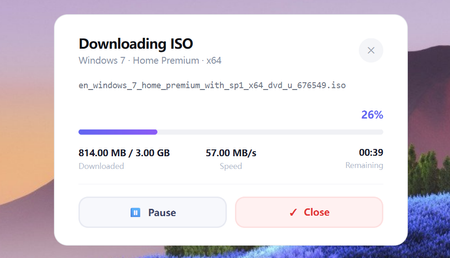
4. Windows 7 Home Premium ISO download
- The ISO file should begin downloading.
- Save the file to your computer.
Important Considerations:
1. Make sure you have a valid product key for Windows 7 Home Premium.
2. The download from the Microsoft Update Catalog is free, but the license is tied to your Microsoft account.
3. System requirements: Ensure your hardware meets the system requirements for Windows 7.
4. Activation: Windows 7 will require activation after installation. You can activate it using your valid product key.
5. Warranty and Support: Microsoft no longer provides support for Windows 7, but the operating system remains available for those who need it.