Forum Discussion

AerialSong
Sep 02, 2021Brass Contributor
Windows 11 Windows Explorer issue
I updated windows 11 and when my pc restarted, my taskbar was completely blank and I can't open my start menu or file explorer. I can't even use the windows key + i shortcut to go back a version. Win...
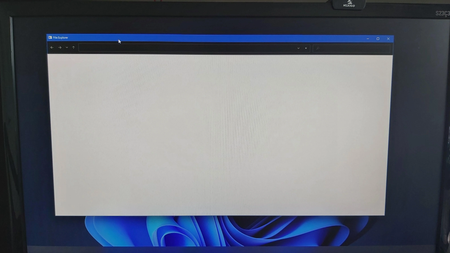
 Sep 02, 2021Ok, I found a solution. I went to troubleshooting by holding shift as I restart my PC. Then I go to troubleshooting and advanced settings and hit uninstall recent update. Then I hit uninstall latest feature update. That brought me back to Windows 10

jimmysie
Sep 03, 2021Copper Contributor
AerialSong Hi, same issue here. Taskbar doesn't work. What can we do...... ?? 😞
 tharindu825Sep 06, 2021Copper Contributor
I have a solution for this
Official fix from Microsoft##Recently, Windows Insiders in both the Dev and Beta Channels began reporting that Start and Taskbar were unresponsive and Settings and other areas of the OS wouldn’t load. We quickly discovered an issue with a server-side deployment that went out to Insiders and canceled that deployment. If you were impacted by this issue, you can use the following steps to get back into a working state on your PC.
Step 1: Use CTRL-ALT-DEL and choose to open Task Manager.
Step 2: Choose “More details” at the bottom of Task Manager to expand Task Manager.
Step 3: Go to “File” and choose “Run new task”.
Step 4: Type “cmd” in the “Open” field.
Step 5: Paste the following: reg delete HKCU\SOFTWARE\Microsoft\Windows\CurrentVersion\IrisService /f && shutdown -r -t 0
Step 6: Hit enter, and then your PC should reboot. After rebooting, everything should be back to normal. Additionally, we will be rolling out a new server-side deployment that will automatically fix Insiders in this state over the next few hours.
https://twitter.com/windowsinsider/status/1433615378362503177
- ElizaMaySep 19, 2021Copper ContributorIs there anyone who knows if this would work with search bar in Explorer not working in Windows 10? I just got a new dell 15 5515 laptop, went through the setup (that uses Cortana), and when I came out of it I couldn't use the search box in the taskbar. I've tried all the internet solutions I can find but none have worked (SearchUI is missing from task manager so I can't restart it, ctfmon.exe restart not working, various regedits, nothing working). Thanks fpr any guidance.