Forum Discussion

Thiefyo
Nov 10, 2021Copper Contributor
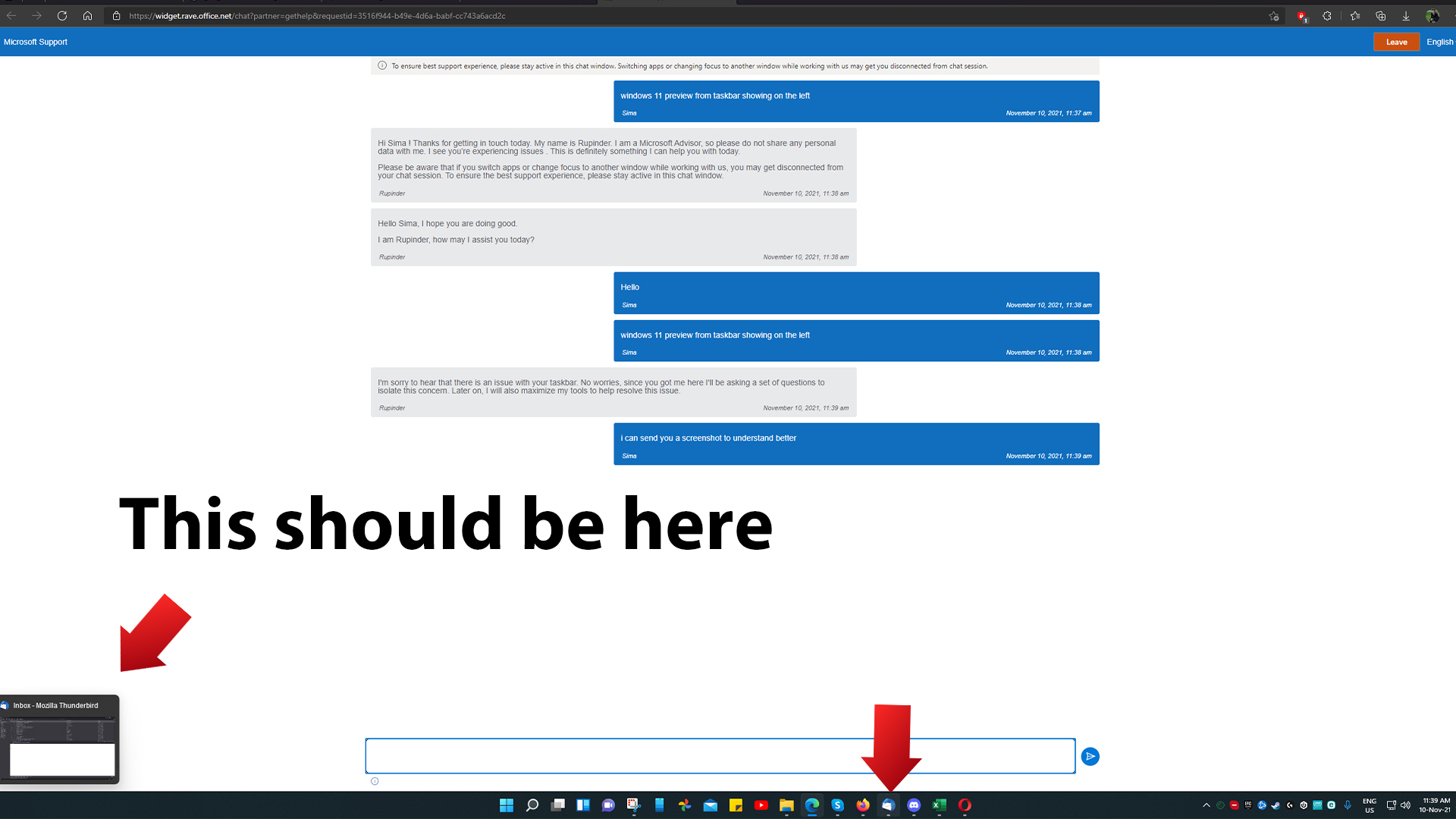
windows 11 preview from taskbar showing on the left
So since 10 nov i noticed that windows 11 preview from taskbar showing on the left i attached a screenshot. Note: for example windows explorer / filemanager and microsoft edge appears correct but...

Thiefyo
Nov 21, 2021Copper Contributor
Tried ended up here and there great Loop what next? 🙂

Reza_Ameri
Nov 21, 2021Silver Contributor
Try do another test and uninstall you graphic card driver and restart your PC and see if the problem persist?
- Reza_AmeriJan 04, 2022Silver ContributorSince you shared the report in the Feedback Hub app, hopefully the Windows team will investigate and resolve it. There are several feedbacks in the Feedback Hub app but the team will review each one of them but might not be able to share individual response.
- ThiefyoJan 03, 2022Copper ContributorI know.. but i want the bug to be fixed..
 Michael_SozaJan 03, 2022Copper Contributor
Hi there, I feel your pain, this is a bug, I have the same behavior.
One hack that I use to relief the pain is restart the 'explorer.exe' application, that did the trick for me.
You have different alternatives to do that, you could do it through a terminal or from the task manager.
I will give you the steps for the second option:
- open task manager
- you need an explorer window open, if you don't, you could open one like this, 'File'->'Run new task' fill the dialog with 'explorer' then click 'ok', or just use the hotkey 'win+e'
- now right click on the explorer application listed in the Process tab, and select 'Restart'.
The explorer process manage a lot more than the file explorer, so after you restart all the desktop UI manager will be restarted. That solved for me the issue.
I repeat this from now and then when the bug reappears.
Good luck
- ThiefyoNov 26, 2021Copper ContributorYes i tried its not my PC fault its a microsoft bug.