Forum Discussion

MajorTom910
Sep 02, 2021Tin Contributor
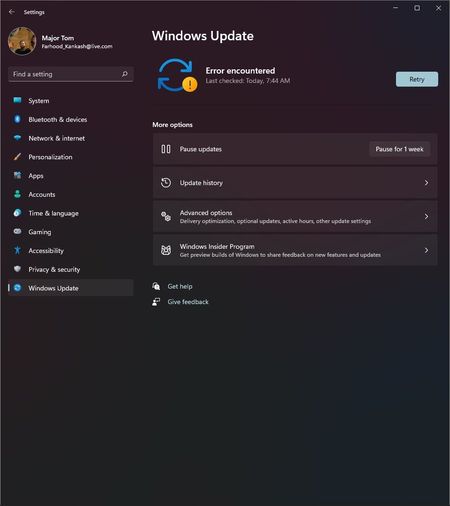
Windows 11 Dev 22449 Windows Update Error
After updating to 22449.1000 Windows Update only shows "Error encountered" message and won't check for update properly. What should I do to fix it? The Windows Troubleshooter for Windows Update also ...
 Sep 10, 2021
I also have the same problem after updating to build 22449, so I posted the problem on windows discussion page. They suggested me to update to Build 22454 using the ISO file.
https://answers.microsoft.com/en-us/insider/forum/insider_wintp-insider_update/windows-update-client-failed-to-detect-with-error/9fdfc43e-d408-4075-b17d-a73d0d255858
It has an option to in-place upgrade the windows without deleting files and apps.Edit:
Update - It worked, windows build updated to the latest version and windows update is working fine without had to clean install windows.

blitz504
Sep 09, 2021Copper Contributor
MajorTom910 Same, I also encountered this problem after updating in the dev channel of Windows 11