Forum Discussion

Windows 11 boot loop
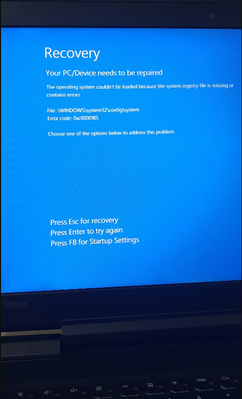

1. Check the graphics card Unplug the discrete graphics card, clean the gold fingers and plug it back in.
Try using the motherboard's integrated graphics card (if available) to troubleshoot the graphics card.
Reset CMOS Remove the motherboard coin cell battery (CMOS battery), wait 5 minutes and then put it back in to reset the BIOS settings.
Minimize hardware boot
Keep only CPU, memory, motherboard and power supply, disconnect other devices to test.
2: System repair forced into safe mode
Force power off 3 times while booting → Enter Auto Repair → Select “Safe Mode”.
In Safe Mode:
bash
sfc /scannow # Repair system files
dism /online /cleanup-image /restorehealth # restore system image
Using the recovery tool
. Boot through the Windows installation USB flash drive → Select “Repair Computer” → Reset or Restore the system.
3: Power Supply and Hard Disk Testing Replacement Power Supply Test
Use a replacement power supply to troubleshoot power supply problems.
Hard Disk Health Check
Detect hard disk bad sectors through BIOS tool or PE system (Hiren's BootCD).