Forum Discussion

mikezhuang
Mar 06, 2021Brass Contributor
Win10 insider build 21327 setting and battery display
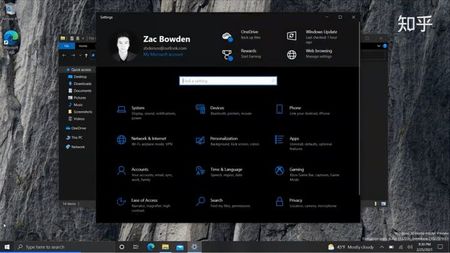
Others are like this: Mine is like this: And I didn't install any third-party app which can change my display. How can I change them to the normal ones? Thanks...

mikezhuang
Mar 06, 2021Brass Contributor
Hi
Thanks very much.
This video from Zac is introducing build21327, and I have used the features before.
Are u using this build? How your display goes?
Thanks very much.
This video from Zac is introducing build21327, and I have used the features before.
Are u using this build? How your display goes?

HotCakeX
Mar 07, 2021MVP
Hi,
yes I'm using the same build but I don't forcefully enable those features. it might corrupt the logs your system sends, so i suggest let it come naturally 🙂
yes I'm using the same build but I don't forcefully enable those features. it might corrupt the logs your system sends, so i suggest let it come naturally 🙂
- mikezhuangMar 07, 2021Brass Contributorgood news: I downgraded my win10 from enterprise to pro. Then everything came back to normal!
- HotCakeXMar 07, 2021MVPNice,
how did you manage to downgrade?- mikezhuangMar 08, 2021Brass Contributor
I just looked up at a Chinese website--Zhihu https://www.zhihu.com/question/381749808 (Just like Quora in America)
It says:Here is the procedure if you have one:-> Open the Settings app and click Update & Security.-> Open Activation and click Change product key.-> Enter your Windows 10 Professional product key and click Next.-> Restart the computer after the new product key is activated.You can always force a downgrade with the default product keyVK7JG-NPHTM-C97JM-9MPGT-3V66TBut then you will have to activate your machine with your own key later, since your windows 10 will not be activated.
The person who answer the question says this way is from Anerican Microsoft website