Forum Discussion

mikezhuang
Mar 06, 2021Brass Contributor
Win10 insider build 21327 setting and battery display
Others are like this: Mine is like this: And I didn't install any third-party app which can change my display. How can I change them to the normal ones? Thanks...

HotCakeX
Mar 06, 2021MVP
Hi,
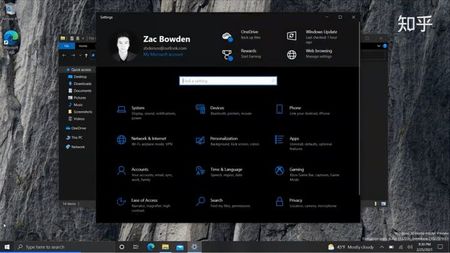
what you are seeing is Zac, using some unconventional tools to get access to that battery display feature and is Not ready yet as of now.
when it's ready, Microsoft will officially introduce it in a blog post. stay tuned
 mikezhuangMar 06, 2021Brass ContributorHi
Thanks very much.
This video from Zac is introducing build21327, and I have used the features before.
Are u using this build? How your display goes?- HotCakeXMar 07, 2021MVPHi,
yes I'm using the same build but I don't forcefully enable those features. it might corrupt the logs your system sends, so i suggest let it come naturally 🙂- mikezhuangMar 07, 2021Brass Contributorgood news: I downgraded my win10 from enterprise to pro. Then everything came back to normal!