Forum Discussion

The instruction at 0x00007FFAF45C5747 referenced memory at 0x000000007FFF3FF0
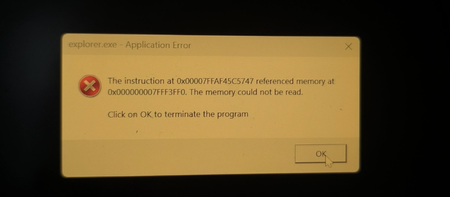

That usually means Windows is stuck during startup—could be a bad update, driver issue, or corruption. Here’s what you can try:
Force restart your laptop a couple of times (hold the power button) to trigger the Windows Recovery Environment (WinRE).
In WinRE, go to Troubleshoot > Advanced options. Try Startup Repair first.
If that doesn’t work, use System Restore (if you have restore points) to roll back.
You can also uninstall the latest updates from the same menu if you think the Canary update caused it.
If you get to Safe Mode, try uninstalling display drivers or any recent software that might cause problems.
If all else fails, you might need to reset the PC (choose “keep my files” if you want to save data).
If you need steps for any option above, let me know!