Forum Discussion

FinneasHayes
Aug 05, 2026Iron Contributor
The Insider Preview version displays a warning that it is about to expire
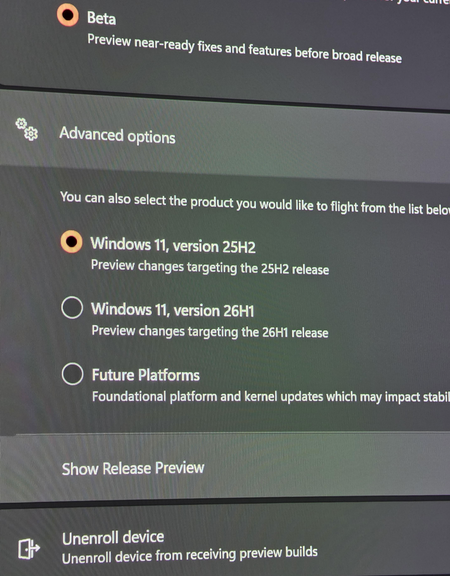
I am currently running the Windows 11 Insider Beta (25H2). The system keeps notifying me that this version is about to expire and that I need to update as soon as possible, but when I click Check for...

sauravdc
Aug 12, 2026Copper Contributor
I had the same problem. The OTA update on 10 Aug 26, suggested a patch that was supposed to be 25H2 and I updated it. Earlier I was on Quality Update 26220.8925 or 26220.8973 with the usual watermark. I got the very same options under Windows Insider tab and selected the exact same radio buttons as shown in the picture.
After the 25H2 OTA patch update the build seemed to have moved "backwards" since the Pause Updates did not carry the calendar anymore but reverted back to the earlier One-Week option. I uninstalled the patch and now the machine says it is on OS 26100.8737 build (even more backwards).
I am getting an update of OS 26220.9022 OTA but it is not installing now.
Where did I burn the bridge and how to recover from the situation?