Forum Discussion

The Insider Preview version displays a warning that it is about to expire
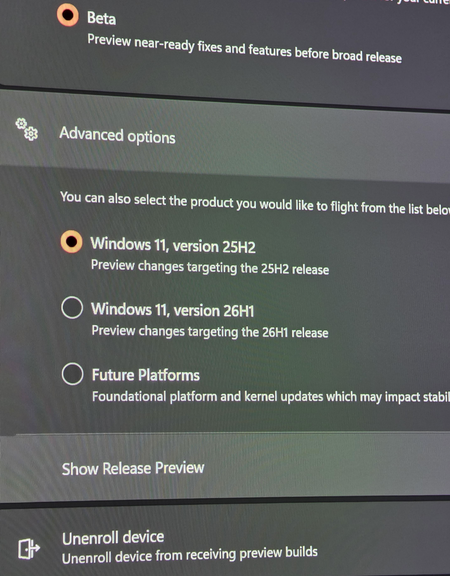

The warning means your Insider build has an expiration date even though Windows Update currently has no newer Beta flight to offer. Do not force-install a random ISO or older build. Run winver and record the build, then confirm Settings > Windows Update > Windows Insider Program still shows Beta and the account registered for Insider builds. Turn on “Get the latest updates as soon as they’re available,” restart, and check again. Compare the build with Microsoft’s Flight Hub and current Beta release notes. If your build is current but the warning remains, submit Feedback Hub diagnostics with the expiration message and update scan time. If a newer same-channel build is listed but not offered, use only Microsoft’s current Insider ISO after backing up. If no compatible upgrade arrives before expiration, the supported fallback is a clean installation of a public Windows release, which removes apps and can erase files.